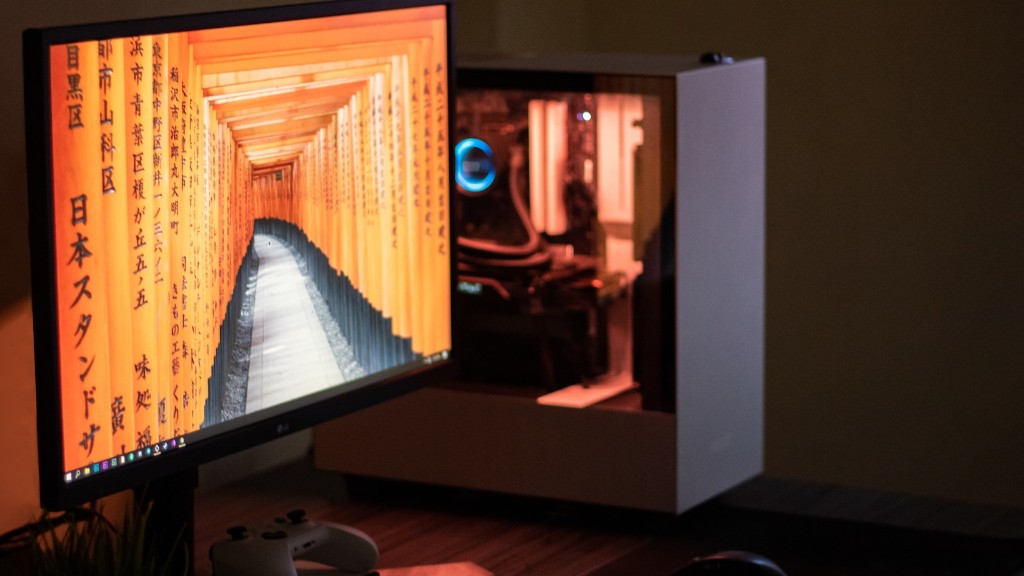
Building a gaming PC from scratch can be an exciting and rewarding experience.The potential savings, ample customization options and the satisfaction of having assembled a rig yourself are all excellent reasons to give it a try.You might be tempted to go with a pre-built system, however investing the time and effort into building your own is usually worth it.
The first step for any aspiring gaming PC builder is gathering their parts.This involves research, comparison and further research.Understanding the basics and terminology of PC components is also an important part of this process.Thirdly, compatibility must be taken into consideration, as certain components may not be compatible with each other.Finally, a budget should be established, as prices can vary significantly.Luckily, you can pick up some bargain components if you know where to look.
Picking parts that fit your budget is only one small part of this process.The selection of parts should also fit the system’s purpose.If the rig is intended solely for gaming, then more emphasis should be placed on the processor, graphics card and memory.High-end gaming rigs also benefit from additional cooling systems, such as liquid-cooling.These components, however, can get expensive.
Putting these components together is the most difficult part of the job, however there is an abundance of tutorials and guides online that can help.A steady hand, a keen eye and some patience are also crucial.Many parts come with their own manuals and instructions, which should make this process a bit easier.Although, there is an occasional mishap and mistakes can be made.It is therefore recommended to research the potential issue that could arise during installation and prepare for them.Finally, the installation of system drivers is important, as they are essential for the proper functioning of the components.
Motherboard
Another important part to select is the motherboard.This is the backbone of your gaming PC, as it connects all other components together.Different motherboard models can accommodate different types of processors, graphics cards and memory, with more expensive models supporting more advanced hardware.A good motherboard is essential for any gaming rig, as it serves as the hub for all components.
A major factor to take into consideration is form factor.ATX, Micro-ATX and Mini-ITX are the three main form factors on the market, each with its own unique size, shape and features.ATX will provide the most features, while still having good compatibility with the majority of components.Micro-ATX sacrifices some features, but fits nicely in smaller gaming boxes.Mini-ITX is the newest and most compact form factor and probably the best of the three overall.
For a gaming PC, it is generally recommended to go with an ATX or Micro-ATX board.These boards come with extra features, such as built-in Wi-Fi, sound cards and more.Moreover, some motherboards offer overclocking capabilities, which are essential for more advanced gaming rigs.In general, the more expensive the board, the better the feature set.
Cooling System
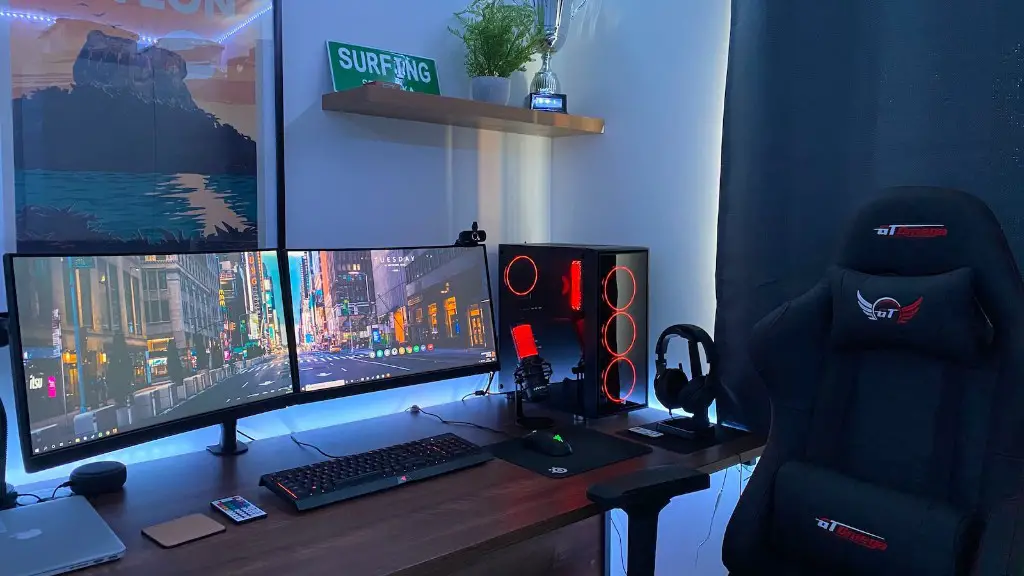
When building a gaming PC, having a good cooling system is also essential.The addition of a high-end processor and graphics card usually generate a lot of heat.As such, investing in a good cooling solution is recommended.Choosing the best cooling solution for your setup is a balancing act, as certain cooler designs will be better suited for certain applications.
Air coolers are the most basic, but still quite efficient.These are generally easier to install, as they need less maintenance and are more affordable than liquid coolers.AIO (all-in-one) liquid coolers are a bit more complex, as they require an additional reservoir and pump.These coolers, however, provide better cooling performance, which is essential for more powerful systems.
No matter what cooler you choose, make sure that it is compatible with your setup.For example, many air coolers are designed for specific types of processors and won’t work with those outside of their specification.The same goes for AIO coolers, as certain models won’t fit in certain cases and others require more clearance.It is therefore recommended to check compatibility and clearance beforehand.
Power Supply
The power supply is also an important component to consider.A reliable power supply is essential for the longevity of your gaming rig.Cheaper models are usually of lower quality and are prone to failure.Also, these models often lack the necessary wattage for more powerful systems.
It is recommended to go with a reliable model with a good warranty.Although the wattage of the PSU should meet the requirements of your components, it is also important to consider the efficiency of the model.Common certifications such as 80 Plus and Gold are good indicators of high efficiency, however they can also add a bit to the cost.
Finally, make sure to check the connectors of the PSU.Most modern systems need a 24-pin ATX connector and at least one PCI Express 6-pin or 8-pin connector.It is also recommended to go with a modular PSU, as these models typically come with a variety of cables and connectors, which makes installation easier.
Graphics Card
Choosing the best graphics card is essential for any gaming PC.Luckily, there are a lot of different models available, ranging from budget models to high-end models.The most important factors to consider when selecting a card are the graphics processor, memory size, clock speed, cooling system and power requirements.
The graphics processor of the card usually dictates its performance and capabilities.Nvidia and AMD are the two main companies producing these processors, with their cards often outperforming their competitors.It is also important to consider the memory size and clock speed of the card.A higher memory size and clock speed will allow for smoother, more consistent performance.
The cooling system is also important, as higher-end cards tend to generate a lot of heat.Although, many models today come with sophisticated cooling solutions, ranging from blowers and heatsinks to full-on liquid-coolers.Finally, it is important to consider the power requirements of the card.This is often indicated on the card itself and should also match the wattage of your PSU.
Storage
Having enough storage available is also essential for a proper gaming rig.Hard drives are the traditional option for mass storage, however solid state drives (SSD) are increasingly popular due to their speed and durability.SSDs are also becoming more affordable, with prices steadily dropping.It is therefore recommended to go with an SSD for your main drive.
For an operating system drive, an SSD is almost always the better choice.These drives come pre-configured with Windows, which makes installation much easier.For large game libraries, a hard drive is still the preferred choice.These drives are usually much cheaper than SSDs and come in larger capacities.It is generally recommended to combine an SSD and a hard drive for maximum storage.
It is also important to make sure that your drive is compatible with your setup.External and internal drive forms come in different sizes, speeds and connectors.For a gaming PC, it is usually recommended to go with a faster, more reliable internal drive.
Conclusion

Building your first gaming PC requires a good knowledge of PC components and their compatibility.It is important to pick the right parts, based on your budget and intended use.Powerful GPUs, plenty of memory and a reliable cooling system are all responsibilities of the PC builder.Finally, the right kind of storage is essential for any gaming rig.
