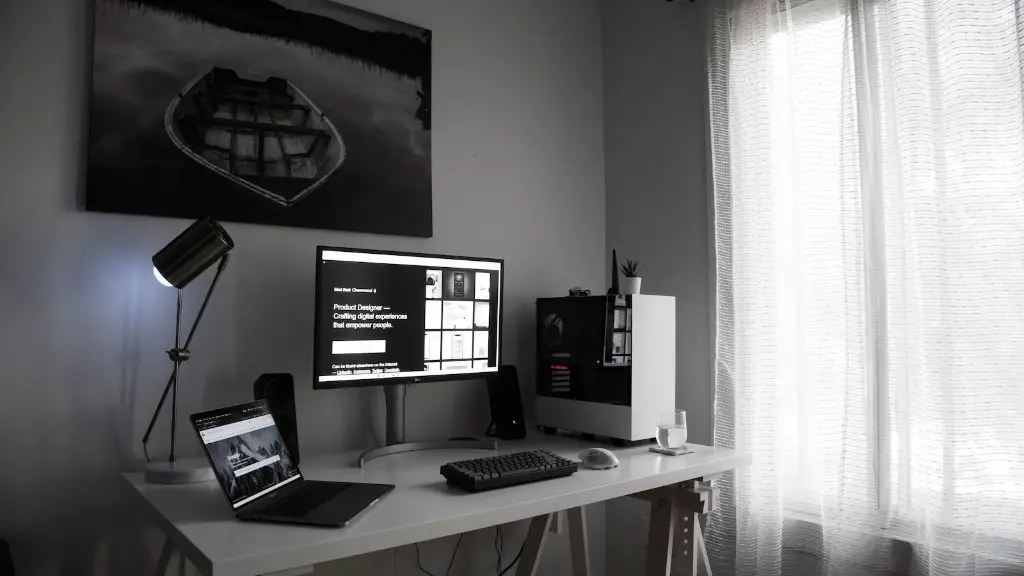
Building a gaming PC is an exciting activity. It’s important to understand the components that go into a PC designed for gaming to ensure a successful experience. The main components to build a gaming PC are the motherboard, CPU, RAM, power supply, case, CPU cooler, storage, and graphics card.
Motherboard
A motherboard is the main circuit board in a PC used to connect all the other components. It’s important to pick an appropriate form factor, such as mini-ITX, micro-ATX, or ATX. You’ll also need to pick one with the appropriate socket for the processor and support the number of RAM slots you need.
Cpu
At the heart of any gaming PC is the CPU, which is responsible for the majority of calculations. A multi-core processor with a high clock speed is best for gaming. Consider a processor from Intel or AMD that’s powerful enough to meet your gaming needs.
Ram

RAM is the memory your PC uses for storing data for running applications and games. The capacity and speed of the RAM is important for gaming PCs. Choose a RAM type and capacity that works with your motherboard and processor. DDR4 is a popular option, with capacities available from 4GB to 64GB.
Power Supply
To power the components in your PC, you’ll need a power supply. Check your motherboard and graphics card requirements, then pick a power supply with sufficient power output. A reliable brand and 80 Plus certification to ensure power efficiency is recommended.
Case
A case, or chassis, provides the container for your PC components and holds everything together, literally. It also helps keep components cool and allow for airflow. Cases with a side panel window, dust filters and plenty of space to accommodate large, high-end components are a good choice for gaming PCs.
Cpu Cooler
The processor needs to be kept cool if it is to run reliably and efficiently. A good CPU cooler will ensure temperatures remain stable. Air and liquid cooling options are available, and both are popular choices. Air coolers are easy to install, while liquid cooling provides better thermal performance.
Storage
Storage is necessary for storing games, applications and other files. There are two popular options: an SSD and a hard drive. An SSD is an excellent choice for a Windows drive and important games, while a hard drive is suitable for storing large amounts of data, like films and music.
Graphics Card
A graphics card is essential for gaming. It’s the processor of the visual and graphical images, providing better frame rates and improved visual fidelity. Choose a card with enough VRAM and memory bandwidth to meet the demands of your gaming. Consider both Nvidia and AMD manufacturers.
Motherboard Main Feature Capabilities
The motherboard is packed with features to ensure connectivity and control over the gaming PC. It is possible to create a multi GPU configuration, which is great for gaming. There are usually a number of ports, like USB, Firewire, and SATA. It may also have additional features like Wi-Fi, Bluetooth and audio.
Cpu Efficiency And overclocking Capabilities
A CPU with high clock speeds and multiple cores is excellent for gaming. High clock speeds let the processor work quickly, while multiple cores allows for parallel processing of data. CPU overclocking is also possible, and many motherboards boast built-in overclocking settings for ever better performance.
Ram Capacities
RAM is responsible for the temporary storage of data for programs and applications. It’s important to pay attention to speeds and capacities – the higher the speed, the better the performance, while more RAM is great for multitasking or higher resolution gaming.
Power Supply rating And 80 Plus Certification
A power supply provides power to the other components, and so it’s important to pick a reliable product with the right power output. Choose a power supply with a high-enough rating, and if possible, look for a product that is 80 Plus certified. This certification guarantees the power efficiency of the power supply.
Case Capabilities
Not all PC cases are designed for gaming. Pre-built gaming cases feature space for large graphics cards, lots of fans, and specialized cooling solutions. It’s important to also look out for dust filters to keep the inside of the case clean and a window to show it off.
Cpu cooling Options
CPU coolers are necessary to keep the processor within the safe temperature range. Choose either air or liquid cooling for your specific needs. Air cooling is often simpler to install, while liquid cooling can provide better thermal performance. Consider noise from the cooler and look for products that are popular with users.
Storage Option Types And Capacity
You’ll need a storage device to save games, applications, files and other items. Solid state drives (SSDs) are ideal for loading Windows and OS, while hard drives (HDDs) are better for large files. Calculate the storage capacity you need and pick a product that meets your requirements.
Graphics Card Visits And VRam Requirements
A graphics card is a must-have for gaming PCs. Consider the latest models from AMD and Nvidia, as well as older models that are still very capable. Check for VRAM and memory bandwidth to ensure the graphics card can run the games you wish to play, and don’t forget to check for any extra ports.
