Building a gaming PC is a common choice these days due to the performance advantages they offer compared to traditional gaming consoles. It is essential to choose the right cables for your gaming PC in order to get the best performance. The most common cables used in gaming PCs are those for power supply, display, storage, audio and networking.
The Power Supply Cable is the main cable that provides power to your gaming PC. It is usually a 24-pin ATX cable, which connects directly from the power supply to your motherboard. It also connects to various components such as your graphics card, CPU cooler and other peripherals.
The Display Cable is used for connecting your monitor or TV to your graphics card. The type of cable depends on the type of graphics card that you have. Common types of display cables include HDMI, DisplayPort and DVI.

Storage Cables are used for connecting your hard drive or solid state drive to your motherboard. Common types of storage cables include SATA and SAS cables, which connect from the hard drive to your motherboard. They also come in different lengths, so make sure to choose the correct length cable for your PC.
Audio Cables are used for connecting your speakers or headphones to your computer. Common types of audio cables include 3.5mm stereo cables and RCA cables. Make sure to choose the right length and type of cable for your needs.
Network Cables are used for connecting your PC to the internet. The most common type of network cable is an Ethernet cable, which connects from your modem to your PC. It is important to choose the right length and type of cable for your network connection.
These are the most common cables used for gaming PCs. Make sure to choose the right cable for your needs to get the best performance out of your gaming PC.
Power Supply Cable

A Power Supply Cable (often abbreviated as PSU) is the most important cable for a gaming PC; it provides the power necessary for it to operate. This is typically a 24-pin ATX connector which plugs directly into the motherboard, and can then connect to other components such as the CPU, video card, and other peripherals. It is important to choose the right type and length of cable to ensure optimal performance in your gaming PC.
The PSU is usually the larger of the cables included with your PC and is typically provided by the manufacturer. The majority of modern gaming PCs come with an 80+ certified power supply, but you can also purchase a higher quality power supply if you’d like to get more performance out of your PC. It is important to double-check that your PSU has the correct type of connector and enough power for your gaming PC.
The Power Supply Cable is an integral part of a gaming PC’s setup and is necessary for the functionality of all the other components. It is important to invest in a quality and reliable power supply so as to not compromise performance or risk damaging other components.
Display Cable
The Display Cable is the second most important cable for a gaming PC, as it allows you to connect your monitor or TV to your PC. The type of connector you require depends on the type of graphics card you have, so ensure you are buying the right type of cable for optimal performance. Common types of display cables include HDMI, DisplayPort and DVI.
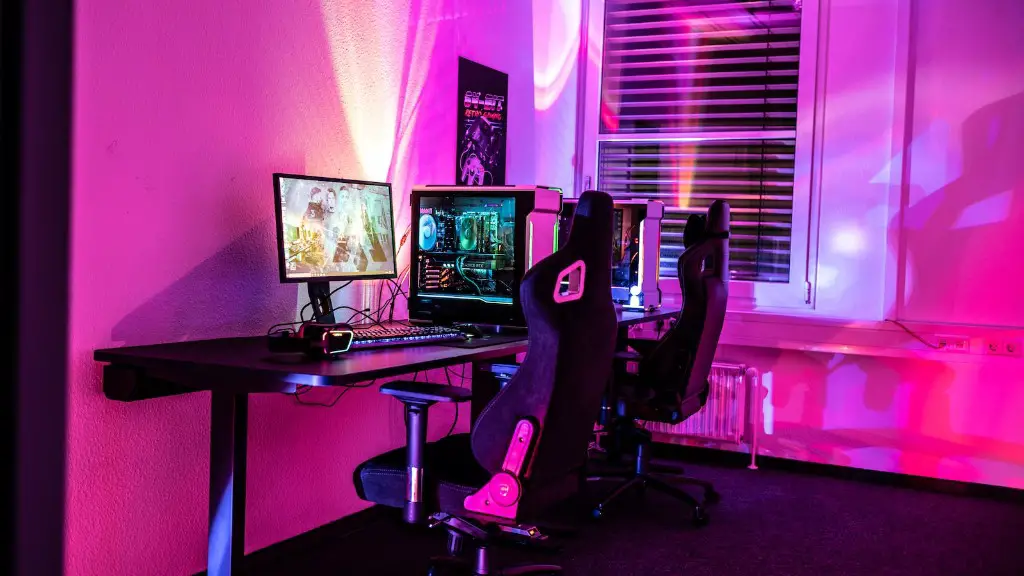
HDMI is the most common connector for modern gaming PCs, as it can support up to 4K resolution and offers a high bandwidth rate. DisplayPort is a newer connector that can also support up to 4K resolution and is generally considered the best option for multi-monitor setups. DVI is the oldest and least popular of the three connectors, but is still widely used and supports up to 1080p resolution.
It is important to make sure you have the right type of Display Cable for your graphics card. You can usually buy Display Cables with multiple connector types so that you can easily switch between them. Having the right type of Display Cable will ensure that you get the best performance out of your gaming PC.
Storage Cables
Storage Cables are used to connect your hard drive or solid-state drive to your motherboard, and are typically either SATA (serial-ATA) or SAS (serial-attached SCSI) cables. These come in different lengths, so it is important to make sure you get the correct length cable to ensure optimal performance in your gaming PC.
Modern gaming PCs use SATA cables to connect their hard drives and solid-state drives to their motherboards. These cables provide enough power and data transfer speed for most uses, but for more demanding applications, SAS cables may be needed. SAS cables are capable of providing more power and faster data transfer speeds, which can improve performance for gamers looking for maximal performance.
It is also important to choose the right type and length of cable for your storage devices. For example, SATA cables come in a variety of different lengths from 1 to 6 feet, and ensuring you have the correct length cable will help to ensure that your PC runs at optimal speeds.
Audio Cables
Audio Cables are used to connect your speakers or headphones to your computer. The most common type of audio cable is a 3.5mm stereo cable, which can be used to connect headphones, speakers, and other audio devices to a gaming PC. They come in a variety of lengths ranging from 1 foot to 10 feet, so choose whateverbest suits your needs.
Other types of audio cables include RCA cables, which offer better sound quality than 3.5mm cables. Most gaming PCs come with RCA ports that can be used to connect RCA audio cables, but it is important to determine the type of port your PC has before purchasing RCA cables. RCA cables can also come in different lengths from 1 to 10 feet, depending on what type of connection you are looking for.
When choosing audio cables for your gaming PC, it is important to determine what type of port your PC has and the type and length of cable you need for optimal performance. Having the right audio cables for your gaming PC will ensure you get the most out of your audio experience.
Network Cables

Network Cables are used to connect your gaming PC to the internet, and the most common type of network cable is an Ethernet cable. These cables connect from your modem or router to your PC, and come in different lengths, so make sure to choose the right length and type of cable for your network connection.
The two most common types of Ethernet cables are Cat 5 and Cat 6. Cat 5 cables are the older version and are still widely used, but Cat 6 cables offer better performance and come in a variety of lengths. Xbox and PlayStation consoles also use Ethernet cables, so make sure that you have the correct type of cable for your network connection.
It is important to choose the right type and length of cable for your gaming PC’s internet connection, as choosing the wrong one could result in slower speeds or even an unreliable connection. Investing in quality Ethernet cables can help improve performance and make sure that your gaming PC is always connected to the internet.
Why Are Cables Important For Gaming PCs?
Cables are an essential part of gaming PCs; they are important for ensuring optimal performance and providing connectivity between the various components of your PC. Without the correct cables, your PC may not function properly and may be at risk of damage. This is why it is important to make sure you have the right cables for your needs.
When building a gaming PC, it is important to make sure that you have the right cables for the job. This includes power supply, display, storage, audio and network cables. Choosing the right cables is essential for ensuring that you get the most out of your gaming PC, as the wrong cables can result in slower speeds or even an unreliable connection.
In conclusion, having the correct cables for your gaming PC is essential for optimal performance and reliable connectivity. Investing in quality cables can help ensure that your PC runs at its best and provide more gaming experiences.
