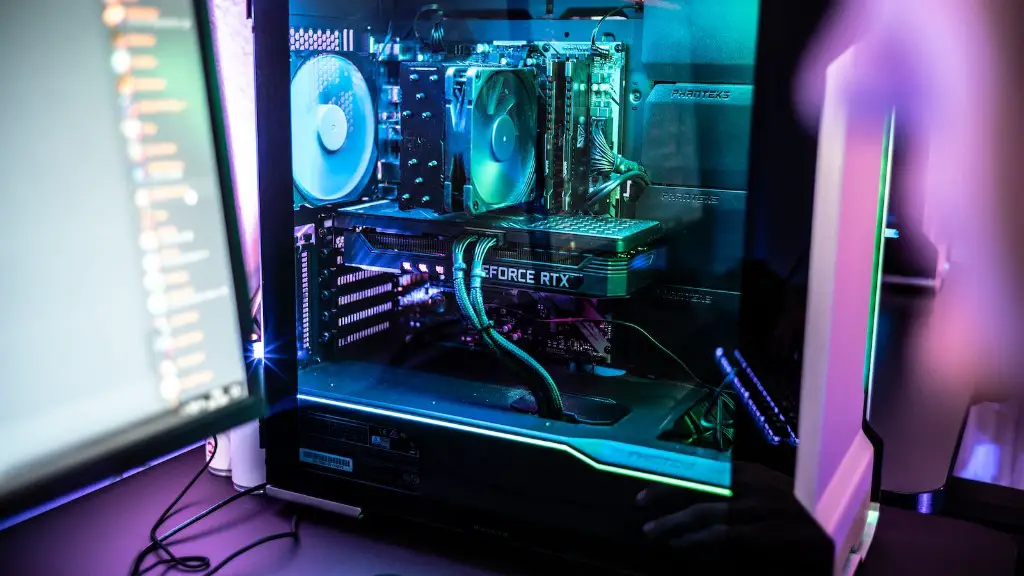
Gaming PCs are a type of computer designed specifically for playing video games. They are equipped with high-end components that allow users to experience smooth and seamless gaming without any hardware-related performance dips. This article will cover some of the most essential components that are essential to gaming PC builds.
The main components of a gaming PC are the processor, motherboard, RAM, GPU, storage, power supply and cooling system. The processor is the most important part of the system, as it determines the overall speed and performance of the computer. The processor should have a highly advanced clock speed, memory controller, and thread count.
The motherboard is the second most important component of a gaming PC, as it not only houses the processor but also provides other necessary connections, slots and ports to facilitate the functioning of other components in the system. The most important feature to consider when choosing a motherboard is its compatibility with the processor and other components in the system.
Another important component of a gaming PC build is Random Access Memory (RAM). This memory provides a temporary storage option for important data, enabling gaming applications to access information quickly. RAM comes in different sizes, ranging from 2GB to 64GB, and should be paired with a motherboard that supports the corresponding RAM type.
Graphics Card (GPU) is yet another crucial component of a gaming PC build, and is responsible for rendering graphics. GPUs come in a variety of models and options, with the most high-end GPUs being capable of producing stunning graphics. An upgradeable power supply should be included with the GPU, as this will ensure the system stays powered on during long gaming sessions.
For storing a large collection of games, a gaming PC requires a lot of storage space. SSDs, or solid-state drives, provide much faster loading times compared to traditional hard drives, while HDDs provide ample space for large games. 2TB of storage should be enough for most gamers, although larger sizes may provide a more future-proof solution.
Finally, a gaming PC won’t work without the right power supply. This device delivers the power needed to run the system, so it’s important to choose a reliable unit. Power supplies come in various wattage capacities, and should be chosen based on the components installed in the system.
Cooling System
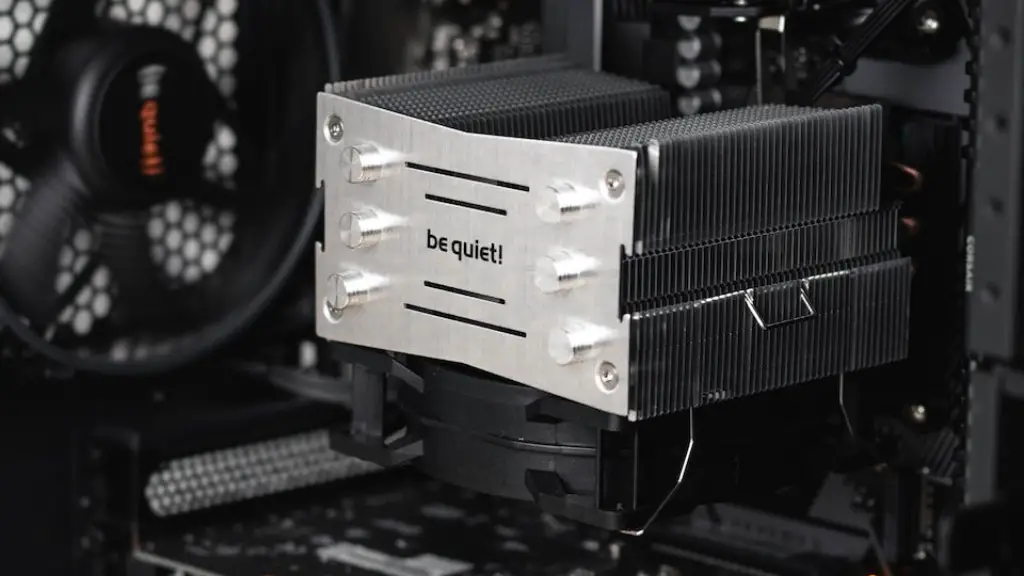
A cooling system is important for keeping the gaming PC at optimal temperatures, so it is important to include one when building a gaming PC. There are many different options for cooling the system, including CPU coolers, liquid cooling, and ventilation fans. CPU coolers are the most common type of cooling option and are available in air and liquid varieties. They are designed to keep the processor cool and prevent it from overheating. Liquid cooling setups offer better performance but require more maintenance than air coolers, while ventilation fans provide some airflow but are less effective than liquid cooling setups.
PC Case
The PC case should also be considered when building a gaming PC, as it provides the housing for the system components. PC cases come in a wide variety of sizes, shapes, and colors to suit the aesthetic preference of the user.Airflow and cable management should also be considered when choosing a PC case, as this will ensure the system stays cool and all components are connected properly.
Computer Peripherals
Computer peripherals are also necessary for gaming PCs, and these can include keyboards, mice, gaming headsets and monitors. Gaming keyboards come in mechanical and membrane varieties, and are often equipped with additional programmable keys. Mouse choices vary based on shape, size, and the type of sensor used, with the choice being largely down to preference. Gaming headsets are necessary for communicating with other players, and are available in wired and wireless varieties. Monitors come in different sizes and refresh rates, depending on the user’s needs, and some even enable curved displays, which can improve gaming immersion.
Conclusion
A successful gaming PC build requires careful consideration of all components. Processors, motherboards, RAM, GPUs, storage, power supplies, cooling solutions, PC cases, and computer peripherals all contribute to a great gaming experience. This article has discussed these components in depth, aiming to provide any potential gaming PC builder with the right knowledge to create an optimal build.
Upgrades

As technology continues to advance, users may want to upgrade components from time to time. Regular maintenance and troubleshooting will help ensure the smooth functioning of all components of the gaming PC. Upgrades can range from new graphic cards, processors, cooling solutions, and storage, to completely new gaming PCs. Generally, upgrading existing computer parts will be more cost effective than buying a new gaming PC.
Customization
Gaming PCs can also be customized, with options for custom water-cooling solutions, custom cable management, and custom cooling fans. It’s important to consider the exact requirements the gaming PC has to meet when customizing, as some features can be overkill for certain games or applications. Additionally, the user should also think about the future use of the system, as some upgrades may be suitable in the long run.
Price
The cost of a gaming PC build will depend on the components chosen and the budget of the user. As a general rule, mid-range components will usually provide enough performance to get good gaming experiences, while high-end components may be unneeded for certain games or applications. Additionally, it’s important to do some research on the components before purchasing, as finding the right deals can save a lot of money.
Best Practices
Before building a gaming PC, it’s important to plan out the build beforehand and make sure all components are compatible with each other. Additionally, users should take into account the cooling of the system, as this will ensure the longevity of the hardware. Also, it’s important to make sure the power requirements of the components are met, as this can affect the overall performance of the system.
