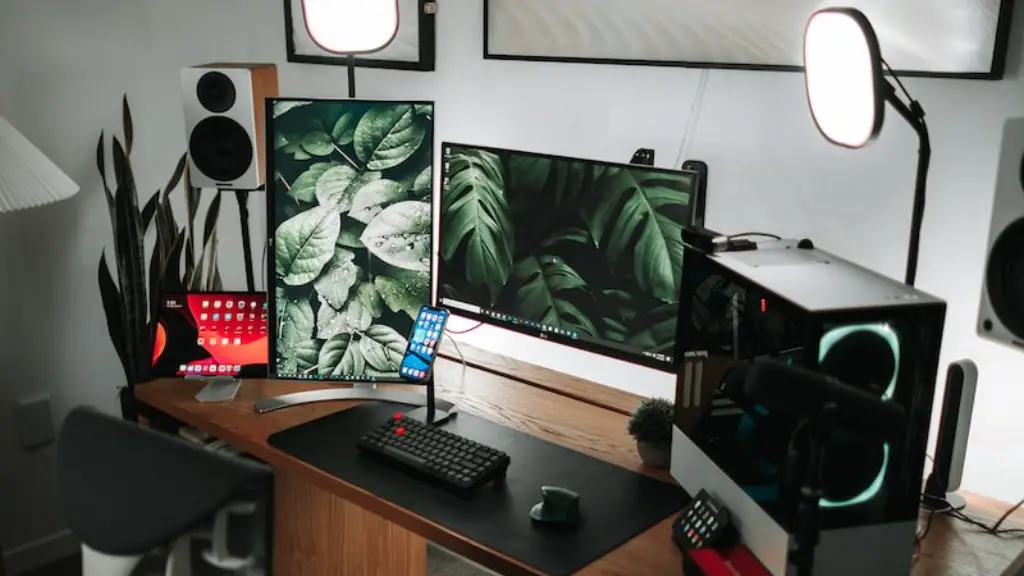
For gaming, you need a powerful PC to play the latest games in their highest settings. This means that you should be looking for a high-performance processor and top-of-the-line graphics card. You’ll also need adequate RAM, more than that found in many home computers. All of these components need to be carefully chosen to make sure you can play at a high level for years to come. Here are the essential components of a gaming PC.
When it comes to the processor, you’ll need at least an Intel Core i3 if you’re playing less demanding games. If you’re looking to play the newest titles, then you’ll want to look into either a Ryzen 5 3600 or Core i5 processor. These are usually the ideal choice for most gaming builds and provide more than enough performance.
For your graphics card, you should go with either an Nvidia RTX 2070 or 2080. These cards will allow you to max out nearly any game on the market. However, if you’re on a budget, then you can go with a GTX 1660 Ti or RX 5600 XT, which are still capable GPUs that can allow you to enjoy your favorite titles in high settings.
Apart from the graphics card and processor, you’ll also need plenty of RAM. 8GB of RAM is enough for basic gaming though you should ideally opt for 16GB or higher for more demanding titles. When it comes to storage, it really depends on the games you play and how much space you need. If you’re playing mostly AAA titles, then you should go for at least a 1TB hard drive or a 500GB SSD.
Finally, you’ll need a good gaming monitor. This can make or break your gaming experience so it’s important to choose wisely. Aim for at least a 144Hz monitor with a 1ms response time. This will ensure that you can easily keep up with the frame rates of the latest games.
What Peripherals Are Needed
Aside from the components mentioned above, you’ll also need some peripherals to complete the gaming setup. When it comes to gaming keyboards, there are plenty of options to choose from ranging from inexpensive membrane keyboards to more expensive mechanical models. If you’re not a fan of mechanical keyboards, then a membrane one should suffice.
As for mice, you should go for an optical gaming mouse as these are more accurate than regular mice. Look for one with adjustable dpi settings or one with customizable weights if you’re looking for more precision. Moreover, make sure to purchase a good quality mouse pad to go along with it.
For the headset, you should look for one with a noise-cancelling feature and a quality microphone. This will ensure that you won’t have to worry about any outside distractions and your in-game communication will be top-notch.
Finally, you should also look into a gaming chair as this is important for long gaming sessions. Look for one that’s appropriately sized and has adjustable armrests and lumbar support. As important as it is to get a good PC, you should also make sure your peripherals are up to scratch.
What Are The Necessary Accessories
When setting up your gaming pc, you should also consider the necessary accessories. One of the most important is a good quality power supply unit. This is what provides your PC with the power it needs and it should be reliable and efficient. It’s also important to invest in a good monitor for the best gaming experience. Look for one with a high refresh rate and low response time.
Additionally, you should also invest in a good cooling system. This is essential to keep your components from overheating, especially when gaming for long hours. A good cooler will allow you to overclock your processor for more performance and extend the lifespan of your components.
You should also consider getting a sound system, particularly if you’re into online multiplayer games or have sound-intensive titles. You can go for a basic two-speaker setup or invest in a more powerful 5.1 or 7.1 surround-sound system. The latter will provide a more immersive experience.
Finally, you should also consider getting an external hard drive. This is useful for storing your games and other large files, allowing you to free up more space on your main drive. Alternatively, if you’re more inclined towards portability, you can opt for an external SSD.
Other Considerations
In addition to the components and peripherals, there are also a few other things to consider. Firstly, where are you going to be setting up your gaming PC? You’ll need to have enough space for all of your components and peripherals, so you should plan accordingly. You should also make sure your network connection is up to scratch as this is essential for playing online.
Another important thing to consider is the cost. Make sure you budget accordingly and prioritize the essentials first. This will allow you to build a capable gaming setup without spending more money than necessary.

Finally, you should also plan ahead. Not all your components and peripherals will last forever, so make sure you have enough money saved up for any replacements or upgrades you may need in the future.
How To Choose The Best Components
Choosing the best components for your gaming PC can be daunting, but by taking the time to research and compare your options, you can find the perfect components for your build. Start by researching the most popular components and read reviews from experts and other users to get an idea of their pros and cons. Then, decide which components you need for your system, and create a budget depending on their price.
Once you have an idea of the components you need, start comparing different models and brands. Make sure to check different sources to find the best prices. Moreover, you should consider purchasing components in sets, as this can be more economical than buying each one separately.
In addition to the components, you should also consider the warranty of any product you purchase. Some companies offer extended warranties which can be a great investment. Moreover, look into any extra features a product may have that differentiate it from other models.
Finally, don’t be afraid to upgrade components in the future. As technology advances, newer models will become available with better performance. This allows you to keep your PC up-to-date and ensure that it’s always running at its best.
Conclusion
Building a gaming PC requires some knowledge of hardware components, but with the right guidance, it’s an achievable task. When building your own system, it’s important to pick the right components and peripherals to ensure an optimal gaming experience. Look into the latest technologies and compare different models and brands to find the best components for you.
