Gaming monitors are designed for gamers who want the best visual experience when playing their favorite games. These monitors usually offer higher refresh rates, faster response times, and improved color accuracy over conventional displays. So, what does a gaming monitor do exactly?
A gaming monitor can provide a heightened visual experience, with a faster response time than a normal monitor. This helps reduce lag and ghosting, and make gameplay more fluid. Faster response time also means more frames per second (FPS), which can make a big difference in how quickly your game reacts
Furthermore, gaming monitors have improved color accuracy, known as color gamut, which allows for better color depth and gradation in games. This helps with contrast and thus can enhance the visual experience while playing. Generally, most gaming monitors use one of two technologies: TN or IPS panels, with the latter offering a better viewing angle and richer color reproduction.

Most gaming monitors also feature higher refresh rates than regular displays. This means they can display more frames per second and reduce motion blur, making motion in games appear smoother. This can be particularly beneficial in games that involve a lot of rapid movement, such as first-person shooters.
Finally, gaming monitors use a variety of technologies to reduce eye strain. Many incorporate eye tracking, which adjusts the screen brightness, contrast, and color temperature based on the movement of your eyes. They also come with blue light filters and anti-flicker filters, which can reduce glare and flicker and make playing for longer periods of time more comfortable.
Advanced Features of Gaming Monitors
Many gaming monitors come equipped with advanced features such as variable refresh rate (VRR) and adaptive sync. These technologies work to keep your monitor and graphics card in sync, eliminating input lag and producing a smoother gaming experience. Additionally, some gaming monitors have overclocking features built-in, which allow you to increase the refresh rate of your monitor beyond its native rate.
Besides various performance features, gaming monitors are often equipped with a range of aesthetics features too. These include customizable lighting profiles and light-up logos, as well as curved screens to improve your field of view. Of course, all of these features come with a price, and gaming monitors tend to be one of the more expensive display options.

In conclusion, gaming monitors provide a visual experience tailored specifically for gamers, with faster response times, improved color accuracy and higher refresh rates. Additionally, these monitors often come with a range of additional features and aesthetic options. While these monitors are typically more expensive than regular displays, the improved gaming experience can be well worth the extra cost.
Selecting The Right Gaming Monitor For You
Selecting the right gaming monitor for you ultimately boils down to your budget and needs. First, consider what kind of game you want to play and look for a monitor with the necessary resolution and refresh rate. If you’re playing competitively, you may also want to look for a monitor with extra features such as VRR or adjustable settings that improve the responsiveness of your display.
Once you’ve narrowed down your selection, you can then begin to consider the additional features that each monitor offers. This includes looking at the color gamut and brightness, as well as extra features like customizable lighting and eye tracking. Of course, if you’re looking for a more budget-friendly option, you should also make sure to compare the prices of each display.
In any case, you should also take into account the physical size of your monitor. Monitors range from small and portable to large, wall-mounted varieties. In addition, make sure to factor in your desk space and the ergonomic needs of your gaming setup. If you’re a more casual gamer, a basic 27” monitor should be sufficient. For more serious gamers, a large monitor with extra features like curved screen and adjustable settings can be worth the extra money.
4K Gaming Monitors
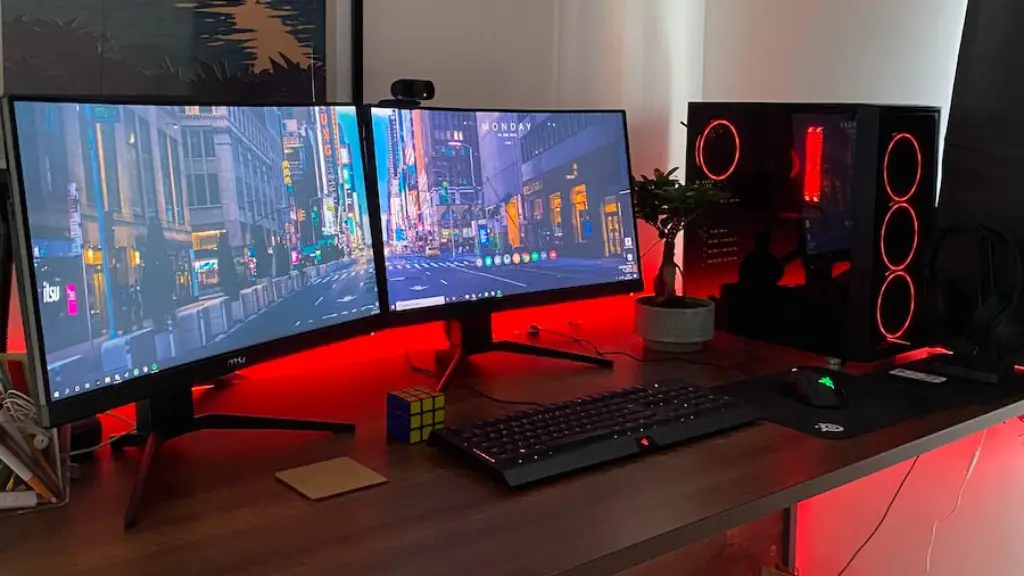
In the past few years, 4K gaming monitors have become increasingly popular. These monitors offer a higher resolution than conventional monitors and can provide an especially immersive visual experience. 4K monitors require a powerful graphics card to run, however, and may not be the best option for all gamers.
One of the main advantages of 4K gaming monitors is their superior resolution. At the highest settings, a 4K gaming monitor has 4 times more pixels than a conventional 1080p monitor. This makes for more detailed textures and shadowing and can make games look more realistic. 4K monitors are also great for multitasking, as they can be split into four different displays.
On the other hand, 4K gaming monitors can be expensive and they require a higher-end graphics card to run. In addition, not all games are optimized for 4K resolution, or even benefit from it. Furthermore, the extra resolution will cause some games to run at lower frame rates, so 4K monitors may be overkill for less demanding games.
Ultimately, a 4K gaming monitor can make for a more immersive experience, but it’s important to consider your budget and what kind of gaming you plan to do before investing in one. If you’re a more casual gamer and you’re not playing on a high-end system, a 4K monitor may not be worth the expense.
HDR Gaming Monitors

High Dynamic Range (HDR) gaming monitors provide an even more immersive and realistic gaming experience than standard monitors. HDR monitors produce a wider range of brightness, colors and contrast that are more true to life than the typical general-purpose display.
Compared to standard monitors, HDR monitors offer a greater level of realistic detail and immersive visuals. This is especially noticeable in dark scenes, with dark colors being richer and more detailed and light colors appearing brighter and more vibrant. This can further enhance the visual experience of playing some games.
However, not all HDR gaming monitors are made equal. To get the most out of HDR, you need to buy a monitor that uses True Black or Quantum Dot technology. Otherwise, you won’t receive the full benefits of HDR. Furthermore, you’ll need a graphics card with full support for the HDMI 2.0 or DisplayPort 1.4 standards.
In general, HDR gaming monitors provide an even more immersive visual experience than conventional monitors. While these monitors tend to be more expensive, they can be worth the extra money if you’re looking for a truly immersive gaming experience.
Gaming Monitor Connectivity

In addition to all of the features discussed above, gaming monitors also come with a range of connectivity options. Some monitors are equipped with USB-C ports for data transfer, charging, and video streaming. This can be useful for peripherals like external hard drives, webcams and other devices.
Additionally, some gaming monitors are outfitted with DisplayPort connections, which can be used to connect your computer to a higher resolution monitor or an external display. For example, many modern gaming laptops come with a DisplayPort connection, which can be used to connect your laptop to an external display or a gaming monitor.
Finally, most gaming monitors come with HDMI ports to connect to your computer or other devices such as gaming consoles. High-end monitors may also feature additional features such as audio jacks or microphone ports. Typically, gaming monitors have 2 to 3 inputs for greater convenience.
In conclusion, gaming monitors come with a range of connectivity options to make connecting your monitor to devices easier. Depending on your requirements, you should select a monitor with the necessary ports for your devices.
