With the release of the latest Xbox Series X, the search for the best gaming monitor has become increasingly important. Choosing the right monitor can make a huge difference to the visual experience of any game. Luckily, there are plenty of great gaming monitors out there for Xbox Series X owners, offering high-resolution graphics, HDR capabilities, and fast refresh rates.
The best gaming monitor for Xbox Series X will depend primarily on the types of games you play and the graphics level you want from them. For most people, the best choice is a 4K monitor with an HDR panel for the best balance between resolution and color accuracy. A 4K monitor will provide the highest detail level possible and when paired with an HDR-capable panel, will give games some extra “pop”. Additionally, a fast refresh rate above 60Hz will provide a smooth, more responsive gaming experience.
Beyond resolution and features, there are other factors to consider when looking for the best gaming monitor for Xbox Series X. First and foremost, the size of the monitor needs to be taken into account. A larger screen will lead to a more immersive experience, but will take up more space. If you are limited on room, then a 27-inch monitor is a great choice. On the other hand, if you want the best possible visuals, then a 32-inch 4K monitor is the way to go.
Another important factor to keep in mind is the refresh rate. Ideally, you should look for a monitor with a refresh rate of at least 120Hz. That way, you’ll be able to experience the best visuals possible with no motion blur and no stuttering. Additionally, you’ll enjoy a more responsive gaming experience with little to no input lag.
Finally, consider how you want to connect your Xbox Series X to the monitor. For the best performance, you’ll want to use HDMI 2.1, but many monitors also come with DisplayPort 1.4 connections. USB-C is also a great connection option, as you can use it to charge your controller and connect other accessories. And finally, make sure the monitor has the necessary ports for other peripherals such as gaming headsets.
Picture Performance
For true 4K Ultra HD visuals, you need to make sure that your Xbox Series X is paired with a monitor with at least a 60 Hz refresh rate, and either a VA or IPS panel for an optimal picture performance. VA panels are capable of producing darker blacks and higher contrast ratios, but IPS panels generally provide better color accuracy and viewing angles, producing vibrant visuals and wide viewing angles.
When buying a monitor for the Xbox Series X, the HDR capabilities are also important. HDR stands for high dynamic range, and it essentially allows for brighter and more vivid colors, making games look more realistic and vibrant. HDR also extends the contrast range and can make dark areas look darker and bright areas look brighter.
It’s important to note that there are varying levels of HDR performance, so it’s important to choose a monitor that meets the HDR requirements of the game you are playing. The Xbox Series X supports two levels of HDR – low dynamic range (LDR) and high dynamic range (HDR). A monitor capable of providing a true HDR experience will have a brightness of between 400 and 1000 nits, so make sure you choose one that meets those requirements.
Finally, the response time of the monitor is important, as it can affect how smooth the visuals look. A response time of 5ms or less will be fine for most gamers, but if you’re playing fast-paced games, then a faster response time of 1ms or less should be considered.
In conclusion, there are many factors to consider when choosing the best gaming monitor for Xbox Series X, such as resolution, refresh rate, size, connection options, picture performance, HDR capabilities and response time. When selecting a monitor, make sure to consider all of these factors to ensure the best gaming experience possible.
Response Time
Response time is one of the most important factors to consider when selecting the best gaming monitor for Xbox Series X. Response time refers to the amount of time it takes for a monitor to change its color or brightness from one state to the next. A lower response time means that a monitor can keep up with fast-moving images and make them look smoother.
When a monitor has a slow response time, it can cause ghosting, meaning that the image appears blurry and choppy. This can make gaming more difficult, as it reduces the accuracy of your aim and makes fast-paced action games almost impossible to play. A good response time is 5ms or less, but if you’re looking for the best possible performance, then look for a monitor with a response time of 1ms or less.
It’s also important to note that most monitors on the market don’t include their response time in the spec sheet, so it’s important to do your research and read reviews to make sure you are getting the best monitor for your needs.
An important factor to consider when looking at response time is the type of monitor panel that you are considering. Generally, TN panels are the fastest, offering the best response time, but they generally have lower color accuracy and viewing angles. VA panels are a great middle-ground between TN and IPS panels, offering good response time, better color accuracy, and wider viewing angles.
Finally, IPS panels are known for their wide viewing angles and accurate colors, but they tend to have slower response times. However, if you’re looking to experience the best visuals possible, then IPS panels are the way to go.
Refresh Rate
The refresh rate of a monitor is another important factor to consider when looking for the best gaming monitor for Xbox Series X. Refresh rate is the number of times a screen refreshes in a second and is typically measured in Hertz (Hz). A higher refresh rate means smoother visuals, as there is less motion blur and less input lag.
For the best performance, go for a monitor with a refresh rate of at least 120Hz, as that way you’ll be able to experience the best visuals possible with no motion blur and no stuttering. Additionally, you’ll enjoy a more responsive gaming experience with little to no input lag.
Additionally, it’s important to note that the resolution of the monitor you choose will affect the refresh rate. If you’re using a 4K monitor, you’ll need a monitor with a 120Hz refresh rate in order to get the best visuals. However, if you’re using a lower resolution monitor, then you could potentially get away with a 60Hz refresh rate – although you’ll still get a better experience with a higher refresh rate.
Finally, it’s important to note that some monitors come with additional features such as FreeSync or G-Sync, which can improve the performance of the monitor even further. FreeSync is a technology developed by AMD that helps reduce screen tearing and stuttering, while G-Sync is a technology developed by Nvidia that helps improve the smoothness of gameplay.
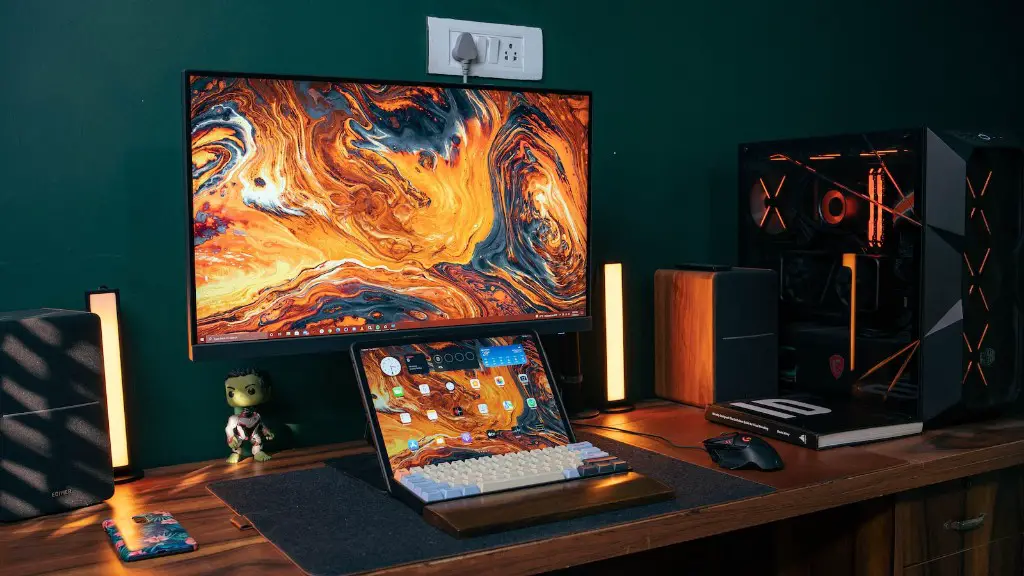
Both are great options to consider if you want the best gaming experience possible, although G-Sync is more expensive than FreeSync. However, keep in mind that both technologies require a compatible graphics card, so it’s important to do your research and make sure your graphics card supports either technology before making a purchase.
Connectivity
Connectivity is another important factor to consider when choosing the best gaming monitor for Xbox Series X. While most monitors will come with HDMI and DisplayPort connections, it’s important to make sure the monitor you choose has the right connection options for your needs.
If you want the best picture performance, then it’s best to opt for HDMI 2.1, as that is the connection used for 4K and high dynamic range (HDR) content. When it comes to DisplayPort, 1.4 is the latest version and it supports up to 4K resolution and up to 120Hz refresh rate. Additionally, it can also support the FreeSync and G-Sync technologies.
Also, keep in mind that some monitors might come with USB-C support for connecting external devices or for charging your controllers. Another great feature to look for is a built-in USB hub, which allows you to easily connect multiple devices without having to use an external Dock.
Finally, if you prefer to use wireless accessories, then make sure to choose a monitor that supports Bluetooth. This will allow you to easily connect wireless headsets, keyboards, and mice without having to use a separate dongle.
Ports
In addition to the connection options, it is also important to make sure that the monitor you choose has the right ports for your needs. Most monitors will come with a few USB ports, allowing you to easily connect your gaming peripherals such as mice, keyboards, or headphones. Additionally, some monitors will come with an audio out port for connecting speakers or a gaming headset.
Another port you might want to look for is a DisplayPort output port, which allows you to connect multiple monitors to your PC. This can be a great feature, as it allows you to make your gaming setup more immersive and gives you the ability to have multiple windows open at once.
Finally, keep an eye out for an HDMI 2.1 port, as this will allow you to connect devices such as streaming boxes or gaming consoles such as the Xbox Series X. HDMI 2.1 ports can also support variable refresh rate technology, which allows monitors to adjust their refresh rate on the fly to match the graphics card’s output.
Overall, it’s important to make sure that the monitor you choose has the right ports and connections for your needs. That way, you’ll be able to get the most out of your monitor and be able to enjoy an immersive gaming experience.
