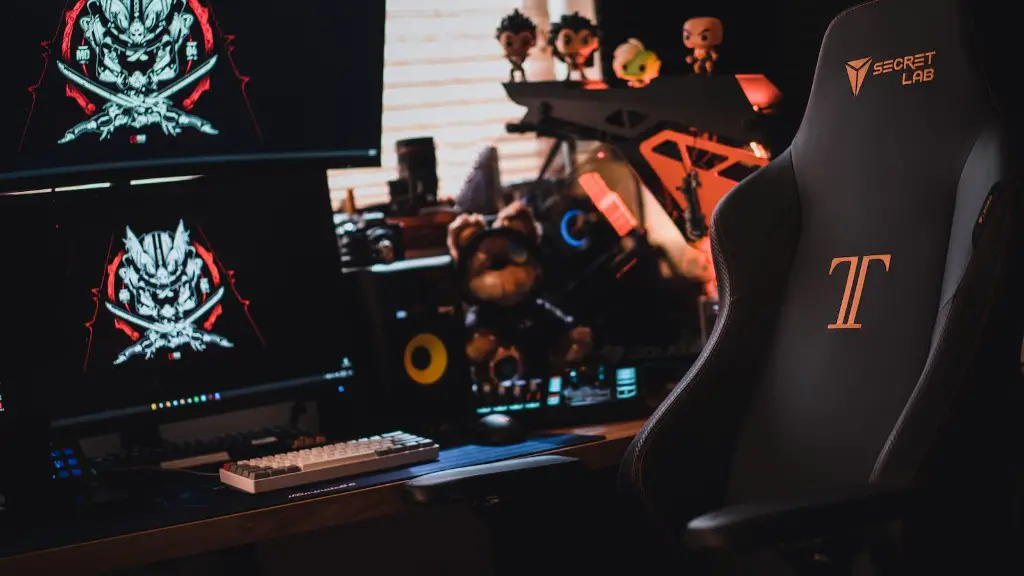
A gaming PC is an essential component for any serious gamer. It is important to understand what makes a gaming PC so it can best suit your gaming needs. Firstly, the most important component to consider is the CPU, which is the “brain” of the PC and is responsible for calculating instructions from the games. When looking for a CPU, you should make sure it is high-end and can handle tasks such as video editing, rendering and high-end gaming. You should also ensure you have adequate RAM. The more RAM, the more your PC can handle and the smoother your gaming experience will be. Secondly, an important component to consider is a good graphics card. A high-end graphics card is beneficial as it boosts visuals, making them look more realistic and smoother. Thirdly, it is important to have an adequate power supply to power up all the components of the gaming PC. The more powerful the supply, the smoother the gaming experience. Fourthly, an adequate cooling system is necessary as video games tend to heat up the hardware quickly, causing it to overheat. A good cooling system also helps to extend the life of the computer. Finally, make sure the computer has the necessary ports for connections with other gaming devices, such as controllers.
Monitor
Having a good monitor for gaming is essential for an enjoyable gaming experience. When looking for the best gaming monitor, you should make sure it is of an adequate size, refresh rate, and resolution. A larger monitor can provide an immersive experience, while a higher refresh rate ensures smoother gameplay. A higher resolution also provides crisp visuals and greater detail. Further, a curved monitor can provide greater immersion, while a flat monitor is best suited for competitive multiplayer games. Additionally, when looking for a gaming monitor it is important to consider the type of panel, such as TN, VA, or IPS. TN panels are usually cheaper, but are less colour accurate than IPS and VA panels.
Storage
Storage is another essential component to consider when building a gaming PC. You should have a good balance of capacity and speed, with SSDs being faster and providing quicker boot times, while HDDs provide more storage at an affordable price. Additionally, you should also make sure you have enough slots for additional storage, as many games can take up considerable amounts of storage. And if you need more space for your games, you can opt for a larger storage drive.
Peripherals

Peripherals can also greatly enhance your gaming experience. A good mouse and keyboard are important for gaming and should be comfortable and responsive. Additionally, a gaming headset can provide good audio for a more immersive gaming experience, while a gaming chair can provide greater comfort during long gaming sessions. And to complete the setup, you may consider a gaming desk with plenty of space and a good mouse pad.
Networking
When it comes to gaming PCs, networking is a crucial component, as having a good internet connection is essential for a smooth gaming experience and to reduce lag. You should have an adequate Wi-Fi router that can handle the demands of gaming and streaming simultaneously, as well as to provide a good signal. Ethernet is often preferable, however, as it provides a more stable connection. Additionally, some games may require a VPN, such as for online matchmaking, and for added security for online gaming.
Software
Software also plays an important role in a gaming PC. You should make sure you have an up-to-date anti-virus installed, as malware and viruses can pose a security risk and slow down your PC. Additionally, you may need certain gaming-specific software and drivers, such as game controllers, or game-specific software. And to ensure the best performance, keep all your software up-to-date by regularly checking for updates.
Customization
When building a gaming PC you should also consider customization, as this can provide additional performance and aesthetic benefits. The case, CPU cooler and fans can all be customized to increase cooling and airflow, and the GPU and memory can be overclocked to increase performance. Additionally, the look of the PC can also be customized with custom LEDs, and customizable parts, such as RAM and motherboard.
