Building a gaming PC is a rewarding experience and there are certain parts that should be considered when selecting the best components to power your system. In this post, we’ll look at the main parts you should buy for a gaming PC. We will cover graphics cards, processors, motherboards, RAM, storage options, power supplies, and cooling systems.
Graphics cards are essential for gaming PCs. They are responsible for processing the visuals on the screen, so the more powerful the graphics card, the more advanced visuals the PC can handle. For gaming purposes, the most widely recommended graphics cards are Nvidia GeForce RTX or AMD Radeon RX.
When it comes to the processor, you’ll want to consider how powerful the CPU is. Intel’s Core i3, i5, and i7 processors are suitable for gaming, or AMD’s Ryzen chips are also a solid choice. Most gamers opt for an Intel Core i7 or an AMD Ryzen 5 processor.
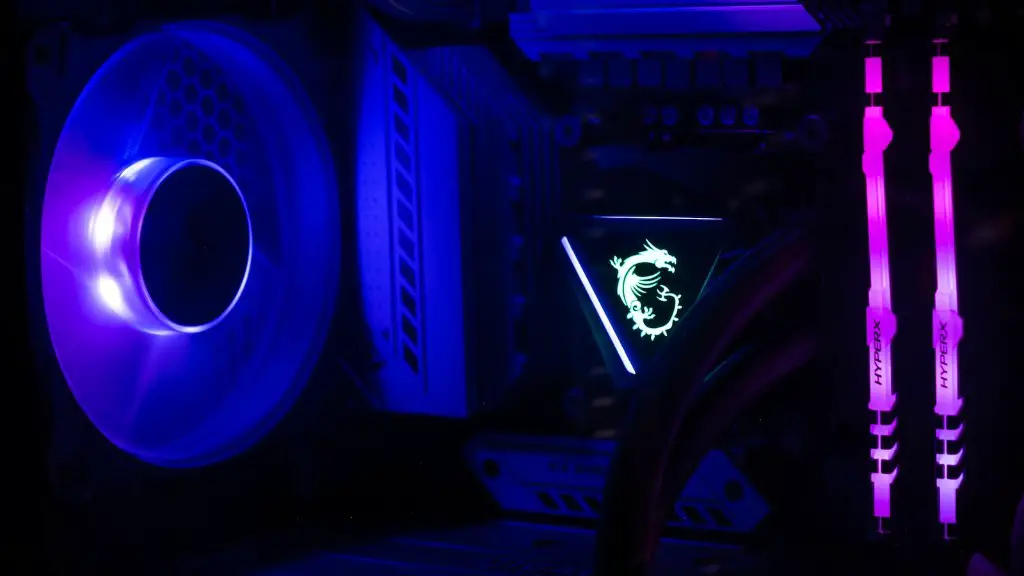
The motherboard is the bedrock of any gaming PC build and plays a vital role in ensuring the other components work together effectively. When choosing the best motherboard, look for one with enough SATA and PCIe ports to accommodate all of your components. Also look for built-in Wi-Fi and plenty of USB ports.
When it comes to RAM, 8GB is a good minimum amount for gaming. If you’re looking for the best performance, go for 16GB–32GB, especially if you plan on playing any virtual reality games. DDR4 memory is the most widely used type of RAM for gaming.
Storage is essential for gaming, so consider how much space you’ll need. Solid state drives (SSDs) are the best option for gaming PCs as they offer faster loading speeds. Look for one with at least 500GB of space.
A power supply unit ensures the components in your gaming PC receive the power they need. Look for a good-quality power supply with at least 80Plus certification and a decent amount of wattage. For gaming, a 500-watt power supply is typically sufficient.

Finally, you’ll need to consider cooling. You’ll need a combination of CPU coolers, case fans, and other thermal solutions to keep your components at their optimal temperature. Liquid cooling or air cooling are the two most popular options.
Graphics Cards
Graphics cards are the most important component for gaming PCs, as they determine what kind of visuals you can play and run. Look for a card that’ll be compatible with the monitor you plan on using, and if you want to run high-end modern games, look for a card from Nvidia’s GeForce RTX or AMD’s Radeon RX series. For mid-range and lower-end graphics cards, Nvidia’s GeForce GTX or AMD’s Radeon RX series cards are good choices.
When it comes to choosing the right card, consider the amount of RAM, clock speed, CUDA cores, and other features. An important factor to remember is getting a card with enough power and ports to connect multiple displays.
Make sure you get an appropriate power supply to meet the requirements and consider any boutique-level cards if you’re looking for more performance and features. Opt for factory overclocked cards if you’re looking for more out of the box performance and ensure the card you choose fits your budget.
It’s important to note that different games may require different types of graphics cards to run optimum, so if you know what games you’re going to be playing, it can help refine your search.
If all else fails, you can research your desired cards to get a better idea of the best options for your requirements.
Processors
When it comes to selecting the best processor for gaming, you’ll want to look at the number of cores, the speed (KHz), generation, and socket. Intel’s core i3, i5, and i7 processors are all viable options, or AMD’s Ryzen processors are also great choices. Core i7 processors are typically the best choice for gaming.
Processors are important because they determine how efficiently tasks are processed and how quickly the computer can handle them. If a computer is slow, it could be due to a weaker processor, so it’s important to choose one with the right speeds and power for your requirements.
It’s also important to note that some processors are best for specific types of games, such as Intel’s Core i7 for AAA games or AMD’s Ryzen processors for esports. Ultimately, the processor you choose for gaming should depend on the performance you require, as well as the price you’re willing to pay.
When making a choice, consider the socket type and what other components will be compatible with it, as well as any overclocking capabilities the processor might have.
A good rule-of-thumb when selecting the right processor is to look at the specs and find one with a CPU speed of around 3.5GHz or higher, an L3 cache of at least 8MB, and a TDP of 95W or lower.
Motherboards
The motherboard is another important factor when it comes to building a gaming PC. It acts as the base for all components and should be chosen carefully. Look for motherboards with at least four slots for RAM, as well as plenty of ports, including SATA, PCIe, Wi-Fi, and USB.
Another important factor to look at is the chipset. The chipset number will determine the level of performance and will also determine what type of processor is compatible. Make sure the chipset you select can handle the processor you plan on using.
When shopping for motherboards, look for ones with the right size and form factor. An ATX motherboard is often the most popular option, as it has good compatibility and plenty of slots. Mini-ITX boards are also a viable option for more budget conscious gamers. Finally, look for features such as an audio card, onboard Wi-Fi, and extra USB ports.
For overclocking, ensure the motherboard you choose has the capabilities to do so, as well as the right ports for the water cooling system (if you plan on using one). Ultimately, the main goal is finding a motherboard that meets all your needs and is compatible with all of your desired components.
RAM
Random access memory (RAM) is important for gaming PCs as it stores data that the computer needs to access quickly. Choose the right memory size and type to meet your gaming requirements, as well as the type of processor you’re using. The most widely used type of RAM is DDR4.
8GB is a great minimum amount for gaming, and 16GB–32GB can be ideal for more demanding games and virtual reality software. It’s important to note that the motherboard you choose should support the type and amount of RAM you plan on using.
When shopping for RAM, look for sticks with low latency and good speed, such as 3GHz or higher. Also consider how many slots the motherboard has, as some motherboards only support two sticks of RAM, while others can accommodate more. Consider any overclocking features as well, as this can improve performance.
Finally, it’s important to read reviews and shop around to find the best deal. Ensure you know the technical specifications of the memory you’re buying, as well as the compatibility of that RAM with your other components.
Storage
Storage is an important factor when creating a gaming PC. Look for an SSD with 500GB or more capacity, a decent read/write speed, and good reliability if you want the best performance. HDD drives are also an option for storing large amounts of data, but the speed won’t be as impressive.
It’s important to note that the motherboard you choose should have enough ports for the storage you plan on using. An M.2 slot is ideal for an SSD, as it will offer the fastest speed, but there are other options available such as SATA and PCIe. If you plan on running multiple drives, look for a motherboard with enough ports to accommodate them.
Another important factor to consider is the connection type. Look for an SSD or HDD with SATA or PCIe, as this will be compatible with most motherboards. If you plan on using multiple storage drives, look for drives with RAID compatibility.
Finally, consider the size of the storage. 500GB is often adequate for gaming, but if you’re looking to store lots of games, movies, or other large files, look for a larger drive.
Power Supplies
Power supplies are essential for gaming PCs, as they provide the necessary power for all components. Look for a power supply with at least 80PLUS certification and the right wattage for your PC. Here, a 500-watt power supply should suffice for gaming.
When shopping for a power supply, look for one with enough PCIe and SATA ports for your desired hardware. It’s also important to consider the cable lengths, as you don’t want them to be too short or too long for the cases. Another factor to look for is the type of fan used, as some power supplies use an integrated fan and others use an internal fan.
Make sure the PSU you choose is compatible with your motherboard and processor and make sure to buy a good-quality brand. If you plan on overclocking, look for a power supply with a higher wattage than the one you plan on using.
Finally, it’s important to read reviews before making a purchase. This will give you an idea of what to expect from the power supply and can save you time and money in the long run.
