When playing video games on a PC or console, the refresh rate of the gaming monitor is an important factor that should be taken into consideration. While there are monitors available that boast a refresh rate of up to 240Hz, for most PC gamers a refresh rate of 144Hz is more than adequate. Consequently, as a gamer, it’s important to assess the preferences of your gaming habits in order to determine which refresh rate is best suited for your setup.
Refresh rate is the number of times the image is redrawn to the screen per second. For example, a refresh rate of 144Hz means the monitor is capable of displaying 144 frames per second. This is more than double the rate of a monitor with a typical refresh rate of 75Hz. High refresh rate monitors allow for smoother motions and can provide an advantage in competitive gaming.
When selecting a gaming monitor with a high refresh rate, it’s also important to consider other factors, such as the type of panel and resolution used. TN (Twisted Nematic) panels are generally cheaper, but have inferior color accuracy and viewing angles compared to other panel types. IPS (In-Plane Switching) panels offer superior color accuracy and viewing angles but typically have higher input lag, making them unsuitable for competitive gaming. Additionally, higher resolutions such as 4K and 1440p result in a better overall picture, but require more powerful hardware to achieve higher refresh rates.
To maximize your gaming experience, choose a monitor with a high refresh rate, combined with the panel type and resolution that best suits your needs. Playing games on a monitor with a high refresh rate will make your experience much smoother and give you an advantage in competitive gaming. Furthermore, monitors with a refresh rate of 144Hz or above will require a more powerful gaming PC in order to deliver the best possible performance.
In conclusion, for most gamers, a refresh rate of 144Hz or higher is sufficient for a gaming monitor. There are monitors available with higher refresh rates, but for most PC gamers 144Hz is more than adequate. Consider your gaming habits and the type of panel and resolution that best suits your needs in order to determine which refresh rate is the most suitable for your gaming setup.
Different Types of Panels
When selecting a gaming monitor with a high refresh rate, it is important to understand the different types of panels available and what they offer. TN (Twisted Nematic) panels are generally cheaper and the most commonly used type of panel, however they have inferior color accuracy and viewing angles compared to other panel types. IPS (In-Plane Switching) panels offer better color accuracy, viewing angles and response times, however they typically have higher input lag, making them less suitable for competitive gaming. Additionally, VA (Vertical Alignment) panels offer deeper blacks, but suffer from motion blur and have slower response times compared to IPS and TN panels.
Furthermore, there are also other types of panels available such as AG (Advanced High-Performance Anti-Glare) and PLS (Plane-to-Line Switching) that have their own unique advantages and disadvantages. As a result, it is important to understand the pros and cons of each panel type before making a decision on which type is best suited for your gaming setup.
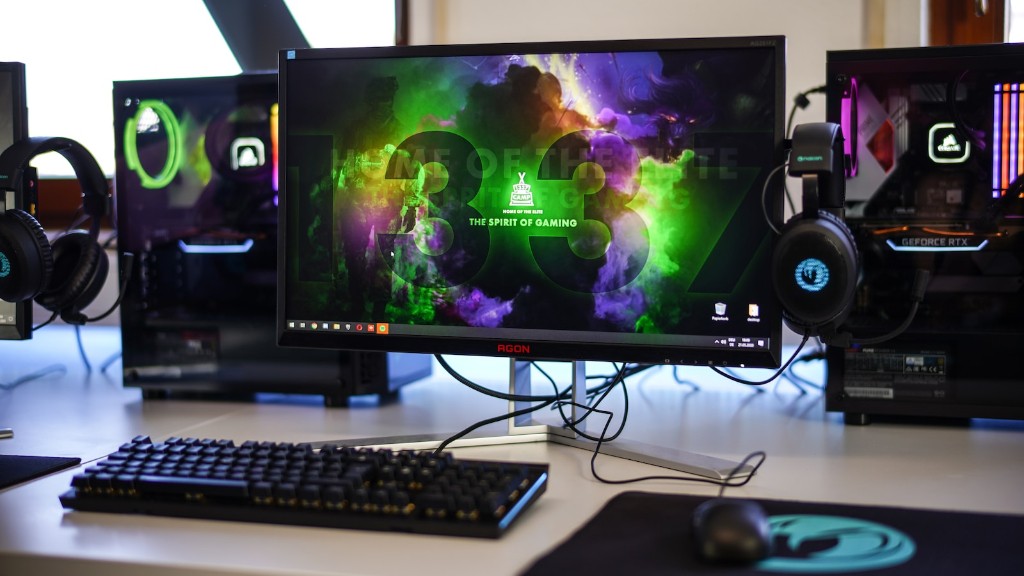
In addition to panel type, the resolution is also an important factor to consider when selecting a gaming monitor. Higher resolutions such as 4K and 1440p will result in a better overall picture, however they require more powerful hardware in order to achieve higher refresh rates.
When selecting a gaming monitor, it’s important to consider the type of panel and resolution that best suits your needs. While some types of panels offer certain advantages, such as better color accuracy and viewing angles, they may not be the best option if you are looking for an optimized gaming experience. Additionally, higher resolutions require more powerful hardware to achieve higher refresh rates. As a result, it is important to find a balance between panel type, resolution and refresh rate to ensure the best performance for your gaming setup.
G-Sync vs Freesync
In addition to choosing the right refresh rate, panel type and resolution, it is also important to understand the differences between G-Sync and FreeSync. G-Sync is a proprietary technology from NVIDIA that synchronizes the monitor’s refresh rate with the frame rate of the GPU. This technology helps to eliminate screen tearing and minimizes input lag by ensuring that the monitor’s refresh rate is always in line with the frame rate of your GPU. FreeSync on the other hand is an open standard developed by AMD that is designed to achieve the same results as G-Sync. FreeSync monitors are usually cheaper than G-Sync monitors, although they may require additional hardware such as a FreeSync compatible graphics card in order to work properly.
Ultimately, G-Sync and FreeSync are designed to improve gaming performance by eliminating screen tearing and minimizing input lag. G-Sync is usually more expensive and requires the use of an NVIDIA graphics card in order to work effectively, while FreeSync is usually cheaper and can work with a wider range of hardware. Ultimately, it is important to choose the technology that best suits your needs in order to ensure the best performance from your gaming monitor.
High Refresh Rate Monitors
When selecting a gaming monitor with a high refresh rate, it is important to understand the limitations of the technology. The maximum refresh rate for a typical gaming monitor is typically limited to around 240Hz, however there are monitors available with higher refresh rates such as the Acer X35 and the Asus ROG Swift PG35VQ which have refresh rates of up to 200Hz and 144Hz respectively. These monitors provide an incredibly smooth gaming experience, however they also require more powerful hardware in order to achieve their maximum refresh rate.
In addition to the refresh rate, higher end gaming monitors also offer features such as variable refresh rate (VRR) technology which helps to reduce input lag, as well as adaptive sync technology which helps to reduce screen tearing. These features may not be necessary for most gamers, however they can give an advantage to competitive gamers who need every edge they can get.
Overall, when selecting a gaming monitor with a high refresh rate, it is important to consider the panel type, resolution, refresh rate and additional features that are available. Consider the usage and gaming habits to determine which refresh rate is best suited for the setup. Higher refresh rate gaming monitors provide smoother motions and can give an advantage in competitive gaming, however they require more powerful hardware in order to achieve their maximum refresh rate.
Factors to Consider
When choosing a gaming monitor with a high refresh rate, it is important to consider a number of factors such as panel type, resolution, refresh rate and additional features. While TN panels are generally cheaper and the most commonly used type of panel, IPS panels offer better color accuracy and viewing angles but have higher input lag. Higher resolutions such as 4K and 1440p result in a better overall picture, but require more powerful hardware to achieve higher refresh rates. Additionally, G-Sync and FreeSync are designed to reduce screen tearing and minimize input lag, but may require additional hardware and are slightly more expensive.
Overall, it is important to assess the needs of your gaming habits, in order to determine which monitor and resolution best suits your setup. Monitors with a high refresh rate provide smoother motions and can provide an advantage in competitive gaming, however they require more powerful hardware in order to deliver the best performance. Additionally, it is important to consider the panel type, resolution and additional features, in order to get the most out of your gaming experience.
Display Response Time
In addition to selecting a gaming monitor with a high refresh rate, it is also important to understand the display response time. Display response time is the amount of time it takes for a pixel to change color, and is generally measured in milliseconds (ms). Monitors with a low display response time result in less motion blur and provide better performance for gamers, however they may require more powerful hardware to achieve their maximum refresh rate.
Monitors with a response time of 5ms or less are considered to be fast and suitable for gaming. Monitors with a response time of 1ms or less are generally considered to be ideal for gamers due to their minimal input lag and fast response times. However, they may require more powerful hardware in order to achieve their maximum refresh rates.
In conclusion, it is important to consider the display response time when selecting a gaming monitor with a high refresh rate. Faster response times provide a smoother gaming experience and can give an advantage in competitive gaming, however they may require more powerful hardware to deliver the best performance. Additionally, it is important to consider the panel type, resolution and additional features, in order to get the most out of your gaming experience.
Gaming vs Movies

When choosing a gaming monitor, it is important to understand that gaming and movies have different requirements. Gaming monitors typically have a higher refresh rate and faster response times in order to provide a smoother gaming experience. Movies on the other hand, require a monitor with a lower refresh rate and more accurate color reproduction in order to create a more immersive viewing experience.
If you are primarily a gamer, then it is important to choose a monitor with a higher refresh rate and faster response times. This will help to provide a smooth gaming experience and can give an advantage in competitive gaming. However, if you are primarily a movie viewer, then it is important to choose a monitor with lower refresh rate and better color accuracy in order to create a more immersive movie watching experience.
In conclusion, when selecting a gaming monitor it is important to consider the needs of your gaming habits and the type of panel and resolution that best suits your needs. Additionally, it is important to consider the display response time, G-Sync or FreeSync, and additional features such as VRR and adaptive sync. Furthermore, it is important to understand the differences between gaming and movies in order to choose the monitor that best suits your needs.
