As gaming technology continuously develops, dedicated gaming PCs are often seen as the best option for an optimal gaming experience. An upgrade to your gaming PC can produce significantly better performance, more efficient cooling through more advanced components, and help maintain a more immersive gaming experience. But when should you upgrade your gaming PC?
First and foremost, upgrading your gaming PC should be done when your machine can no longer keep up with current technology and software. If your current computer struggles to run games with smooth frame rates, it may be time for an upgrade. Many games today use cutting-edge technology that requires modern hardware to make the most of the experience, so having an outdated system can quickly make them unplayable. Furthermore, upgrading your gaming PC may be the most cost-effective solution for certain upgrades, rather than purchasing a new system outright.
It’s also important to consider the modern tech capabilities of a gaming PC when looking to upgrade. With new technology such as ray tracing, high-dynamic range (HDR) displays, and ultra wide monitors, you want to ensure your PC has the power to make the most of these new features. If your PC isn’t up to scratch, an upgrade could be necessary.
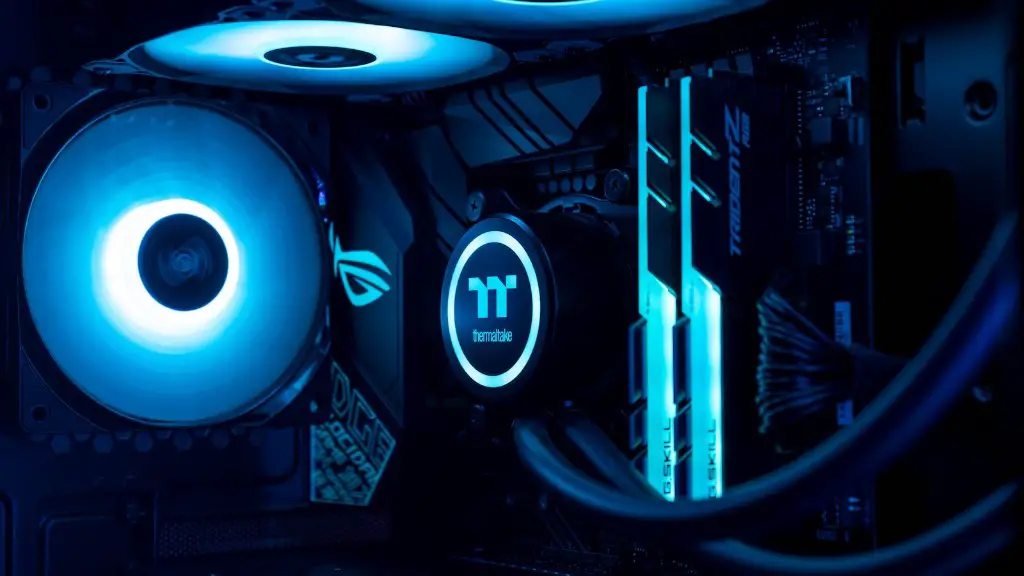
It’s also worth considering the components that go into a gaming PC when you want to upgrade. Upgrading individual components such as the graphics card, memory, or hard drive could significantly improve system performance. However, it’s important to make sure those components are compatible with the rest of your system, and the upgrade is appropriate for your needs.
Finally, upgrading your gaming PC may be the best way to make your system more efficient in certain areas. Upgrading the CPU, for example, could drastically increase your overall system performance, as well as improving general system speed and stability. Similarly, upgrading components such as a power supply or cooling system can help in keeping your PC efficient, providing you with the power you need without suffering too much from heat or noise.
Upgrading Graphics Card
When looking to upgrade your gaming PC, the first thing to consider is upgrading the graphics card. A dedicated graphics card is essential for any gaming PC, as it provides the power to handle modern games and high-resolution gaming at optimal frame rates. When choosing a new graphics card, look for one with the latest technologies such as ray tracing, HDR, and virtual reality capabilities. Keep in mind budget-friendly options may not offer the same level of performance as pricier products, but they can still be adequate for a gaming PC.
It is also important to check that newer graphics cards are compatible with existing components and drivers. Many modern graphics cards are designed for future technologies, and thus may need updated drivers, BIOS, and other software. An older card may not support such features, so it is worth checking compatibility.
Finally, most graphics cards require additional power, so if the graphics card will draw more power than the system power supply can provide, you may need to upgrade that as well. Otherwise, consider upgrading to a better power supply with higher wattage and more power connectors.
Upgrading CPU
Upgrading the CPU can provide a big boost in power, speed, and stability for your gaming PC. When upgrading the CPU, make sure to have a compatible motherboard and BIOS. Many modern CPUs such as Intel’s 10th generation CPUs are not backwards-compatible with older motherboards, so if you are looking to upgrade your processor it may be necessary to invest in a new motherboard first. Likewise, the BIOS will often need to be updated for a newly installed CPU.
When upgrading the CPU, also consider if you will need to upgrade heatsinks and cooling mechanisms. If the system is not equipped with liquid cooling, a better air-cooled heatsink may be necessary. In addition, check if the processor’s maximum wattage exceeds the power supply wattage and make sure to upgrade the power supply if necessary.
Finally, keep in mind that many CPUs are multi-core components, so it is important to choose the right CPU with the right balance of cores and threads to suit your needs. For example, if you are looking for a maximum performance gaming PC then something like AMD’s Ryzen 9 CPU may be ideal. However, if you are looking for something more cost-efficient then something like an Intel Core i7 may better suit your budget.
Upgrading Memory
Upgrading memory, or RAM, is an important part of keeping a gaming PC running optimally. Having enough RAM on board can make a big difference in system performance, especially when running demanding games or playing multiple games at once. It is important to look for memory modules with the latest DDR4 technology, as these offer the fastest speeds. Keep in mind that RAM is also modular, meaning that you can add or replace modules to increase a system’s RAM.
However, when choosing RAM for an upgrade, it is important to take into consideration the type and speed of RAM the system supports. For example, some systems may only support DDR3, while others may support DDR4. Furthermore, memory modules with different speeds, such as 2400MHz or 3000MHz, cannot be mixed in the same system. Thus, when upgrading the RAM on a gaming PC, make sure the RAM is compatible and that the speed is the same or faster than the existing RAM.
Finally, it’s also worth noting that adding more RAM than is necessary can be a waste of money, as more RAM will only increase performance when and if needed. Thus, look at how much RAM is currently in use and how much RAM the applications and games you intend to play require before upgrading the RAM on a gaming PC.
Upgrading Storage
A gaming PC’s storage system can often be the biggest bottleneck when it comes to performance. Investing in an upgrade for your gaming PC’s storage can provide a significant performance boost, especially if you are looking to maximize loading speeds for games and applications.
The two most common storage upgrades for gaming PCs are Solid State Drives (SSDs) and Hard Disk Drives (HDD). SSDs are significantly faster than HDDs, boasting higher performance in loading games and applications, while HDDs offer more capacity for holding more games and files. When upgrading your storage system, consider your budget and how it fits your usage and whether you need more speed or more capacity.
When it comes to SSDs, the two most popular options are M.2 and NVME. NVME drives are the fastest option, as they use a more advanced PCIe bus than M.2 drives. M.2 drives, however, can still provide faster performance than even the most high-end HDDs. NVME drives may be more expensive than M.2 drives, so make sure to consider your budget.
It is also important to note that depending on your system configuration, your storage may need to be compatible with certain specifications. For example, some systems may require certain form factors or capacities to ensure optimal performance. When purchasing an upgrade, it is essential to make sure it will be compatible and function correctly with your system.
Upgrading Software
Upgrading software such as drivers can also provide a significant boost in performance when it comes to a gaming PC. Software updates often bring improved stability and performance, as well as better compatibility with new games and applications. Thus, it is important to check for software updates regularly and install them when available. Likewise, make sure that the latest version of Windows is installed in order to take full advantage of the newest hardware.
When upgrading the software for a gaming PC, it is important to make sure the hardware components are compatible with the latest version. Some software applications may require specific components, or certain hardware configurations, to work properly. Furthermore, a number of software applications are designed for specific platforms and some may not be compatible with your system.
Finally, it is worth noting that some software applications may offer free versions, while more premium versions may require a subscription. As such, it is important to research various options thoroughly in order to understand which is right for you. Upgrading your software can be a great way to maximize your gaming PC’s performance and usability, and it is wise to weigh all your options to determine what works best.
