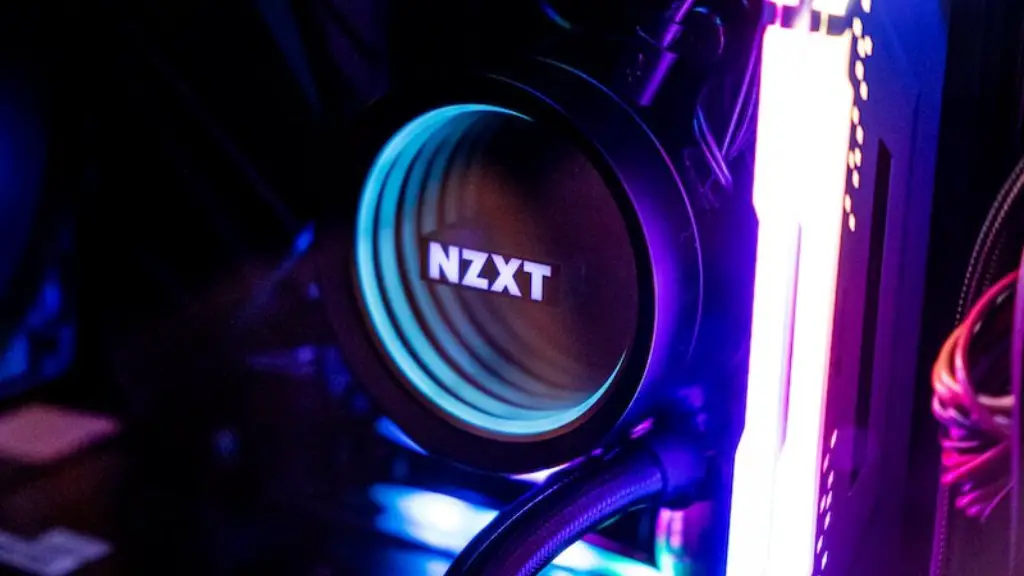
When it comes to choosing the best gaming pc for your needs, there’s plenty to consider. It isn’t just about finding the most powerful components, or simply which parts are the latest. You’ll need to think about things like budget, size, quality and even what type of games you enjoy playing. That being said, here are a few tips to help you out in deciding which gaming pc is the right choice for you.
Firstly, figure out your budget. Gaming PCs can range from hundreds to thousands of pounds, so you need to decide on what you’re willing to spend. This will determine the quality of the components and whether or not you can add any extras. You should also take into account any additional peripherals that you might need, like a monitor, keyboard or mouse.
Next, consider the PC’s size. Some people enjoy a bigger setup for their gaming PC, with extra storage or ports for additional peripherals. Conversely, if you’re limited on space, a mini-PC or pre-built micro-ATX setup might be a better choice. In addition, some cases can come with built-in RGB lighting, further personalising your build.

Thirdly, take note of the type of games you play. Are you an eSports enthusiast that needs the best possible setup to compete? Perhaps you prefer popular AAA titles like Fortnite or CoD and want a good balance between performance and price? Or are you a streaming content creator who needs a workstation-style setup? Different gaming PCs are more suitable for different types of gaming, so it’s important to know what sort of games you’ll be playing and which type of PC would be best for them.
Fourthly, look closely at the internal components. You need to make sure your gaming PC has balanced components that will suit your gaming style. This will involve taking a look at details like processors, graphics cards, RAM and storage. If you aren’t familiar with these terms, look them up and seek advice from experts or online communities. It’s important that you get the best components for your needs to ensure that you get the most out of your gaming experience.
Finally, remember that your gaming pc won’t be an expensive one-time purchase. It can be upgraded over time as prices vary and when newer components become available. If a gaming PC is too expensive right away, consider investing in a lower-priced ‘entry level’ setup that you can gradually add to over time. That way, you can make sure you’re getting the best value out of your gaming experience.
How to Choose Graphics Cards
Graphic cards are one of the most important components when it comes to gaming. Your graphics card will determine the visual fidelity of your games, so it’s important to pick the right one. There are two main considerations when shopping for a graphics card: the model and the price. Always do your research: look for reviews, check benchmarks and make sure the card is compatible with your PC setup. Additionally, you should also keep an eye on graphics card pricing, as GPUs can fluctuate wildly throughout the year.
Which Power Supply Should I Buy?
Your power supply (PSU) is an integral part of a gaming PC. It needs to provide enough juice to keep your components running and prevent any damage. When buying a PSU, look for 80-Plus certification, which indicates efficiency and ensures that your system is using the right amount of wattage. A wattage calculator can also be used to determine how much power your setup will need. It’s also a good idea to investigate modular vs. non-modular power supplies, to ensure that you’re getting one that’s right for your setup.
Which Motherboard Should I Choose?
The motherboard is the backbone of the gaming PC. It’s where all the different components connect to each other, making it a crucial part of your setup. When shopping for a motherboard, it’s important to look for one that is compatible with your components, as well as its form factor. You’ll also need to consider things like expansion slots, overclocking capabilities, support for the latest tech, such as PCI Express 4.0, and even the number of fan headers. It’s also a good idea to look up reviews for motherboards and make sure that you’re getting the best one for your needs.
Which Cooling System is Right for Me?
When it comes to cooling, your gaming PC needs to be able to keep its components at the right temperature. There are a few different types of cooling systems available, such as air, liquid and custom-fitted cooling, each with its own advantages and drawbacks. Air cooling is the cheapest, while liquid cooling is more complex and efficient – but both need the right parts to fit your setup. If you’re looking to overclock your system, then custom-fit cooling may be a better option, as it’s more precise and efficient.
What Else Should I Look for?
After deciding on the main components, there are a few extra things you might need for your gaming PC. An Operating System, such as Windows 10 or Linux, is essential. Meanwhile, a monitor, speakers or headset, a decent mouse and keyboard, and an ergonomic chair, could all add to your gaming experience. And if you’re a competitive player, you should also look into things like RGB lighting, custom cables and special gaming software.
