
Being a gaming enthusiast is an exciting experience, having your own gaming computer is an added bonus. But what happens when you start to experience frame drops? It can be really frustrating, so why is my gaming PC dropping frames?
Frame drops are a common issue when it comes to gaming, and there are multiple causes as to why. A frame drop occurs when a game struggles to maintain a steady frame rate, usually resulting in a stutter, lag, and even freezing. This can make gaming difficult, and it is important to understand what the causes and solutions can be.
One of the main reasons that a gaming PC will drop frames is due to hardware limitations. This means that the hardware installed within the system doesn’t have enough power or resources to keep up with the demands of the game. This could be due to insufficient RAM, a weak graphics card, or another component within the system.
Another potential cause is software issues. This could be due to driver or optimization issues, or even out of date software. Game updates can also cause instability, as many new games require updated drivers and software. Poorly coded games can create issues with frame drops, as can software conflicts.
Another issue that could be causing frame drops is an insufficient power supply. The components of a gaming PC can often require more power than the power supply can supply. This can cause the components to not perform at their intended levels, resulting in frame drops. This can be checked by looking at the power draw of the components and making sure that the power supply is appropriately rated.
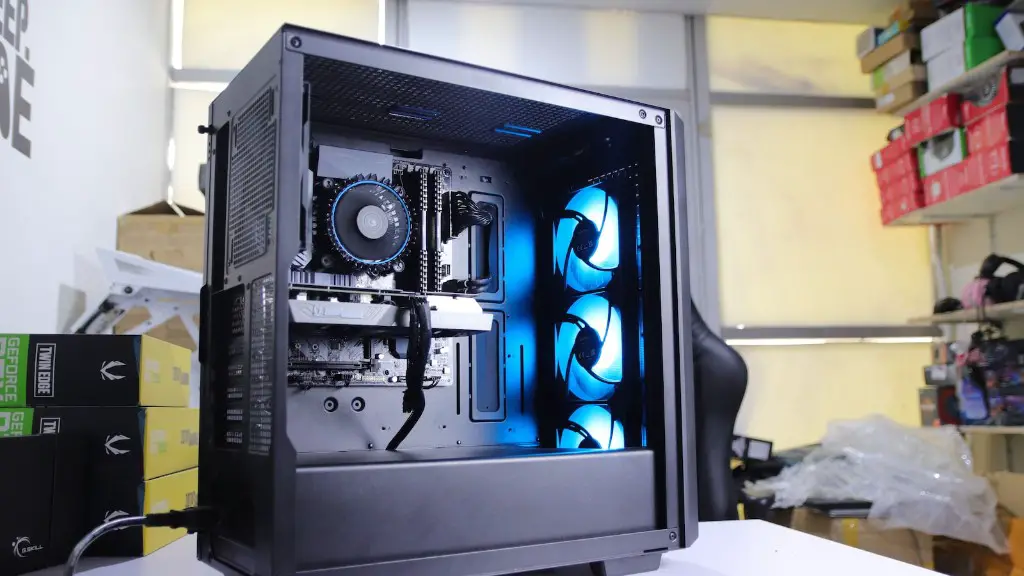
A further cause could be overheating components, which tend to slow down and lead to issues such as frame drops. This can be caused by a lack of airflow within the system, or an insufficient cooler. Taking the time to check and make sure that the system is properly cooled can help to ensure this isn’t the cause.
Finally, frame drops can be caused by an issue with the connection to the internet. Gaming requires a strong and consistent connection, but if the connection is weak or unstable the game may not be able to handle it. This can cause connection issues and lead to frame drops as the game struggles to keep up.
Hardware Solutions for Fixing Frame Drops

If the cause of frame drops is due to hardware then there are multiple solutions that can be implemented to fix the issue. This could involve upgrading the graphics card, installing more RAM, or improving cooling.
Upgrading the graphics card could be beneficial, as a better card should theoretically have better performance. However, this is dependent on the games being played, as some games may only be able to utilize a certain level of hardware. Additionally, upgrading the RAM may also be beneficial, as having more resources may help the system to keep up with demands of the game.
Improving cooling is also important, as overheating components will slow down and eventually lead to frame drops. Taking the time to make sure that the system is sufficiently cooled is important. Adding more fans or even water cooling systems may be beneficial, as they will be able to keep the components cool and running optimally.
Finally, it may also be beneficial to reduce the visual settings of the games. This could help to reduce the load on the system, and can thus lead to fewer frame drops. Of course, this may not be desirable for those who are looking for the best visuals, but it could help to solve the issue of frame drops.
Software Solutions for Fixing Frame Drops

If the cause is an issue with software then there are also multiple solutions available. This could involve updating drivers, game optimization, or even reformatting the computer.
Updating drivers is often beneficial, as it ensures that the components in the system are running with the most up-to-date drivers. This can help to prevent stability and performance issues with the game. It is also important to make sure that the drivers are compatible with the game being played, otherwise this could lead to more issues.
Game optimization can also be beneficial, as the game may be running in settings that are too high for the system. Taking the time to lower the settings within the game can help to reduce the load and allow the system to keep up. This can be done within the game’s settings menu and should be adjusted according to the hardware that is installed in the system.
Finally, reformatting the computer may also be beneficial, as this can remove any potential software conflicts that could be causing frame drops. This should only be done as a last resort, and it is important to ensure that all of the important data has been backed up beforehand.
Preventing Frame Drops
There are also multiple things that can be done to prevent frame drops in the first place. This could involve investing in higher quality hardware, researching the game prior to purchasing, and adjusting the settings of the game.
Investing in higher-end hardware can help to ensure that the system can cope with the demands of the game. This should involve research into the specific requirements of the games that are being played, as this will ensure that the most suitable hardware is purchased. Doing this can save a lot of time and money in the long run.
Researching the game prior to purchasing is also important, as this can help to avoid any potential issues with frame drops. Taking the time to look at the minimum and recommended system requirements, as well as the reviews from other players is crucial. This can help to make sure that the game is suitable for the system that is being used.
Finally, adjusting game settings is another way to prevent frame drops. This could involve reducing the graphics quality or even the resolution of the game. Taking the time to experiment with different settings and finding the balance that works for the system can be beneficial.
Troubleshooting Frame Drops
If frame drops do occur then there are also troubleshooting steps that can be taken. This could involve restarting the game or the computer, checking for conflicts, or performing a clean installation of the game.
Restarting the game or the computer can help to refresh the system and can help to resolve any issues with the game. It is also important to check for any conflicts that may be occurring, as two applications may both be attempting to use the same resources, thus resulting in instability and frame drops.
Finally, performing a clean installation of the game may be beneficial. This can be done by uninstalling the game, then reinstalling it afterwards. Doing this can help to remove any conflicts or corrupt files that could be causing issues with the game. It is important to make sure that all of the important data is backed up before uninstalling, as this will prevent any potential issues.
Conclusion
Frame drops are an annoying issue that can cause a lot of frustration for gamers, but understanding the root cause of the issue can help to resolve it. There are multiple potential causes, from hardware limitations to software issues, and a combination of different solutions can help to fix them. It is also beneficial to research games prior to purchasing and adjust settings within the game to prevent frame drops. Finally, troubleshooting can help when frame drops occur, and taking the time to experiment may result in success.
