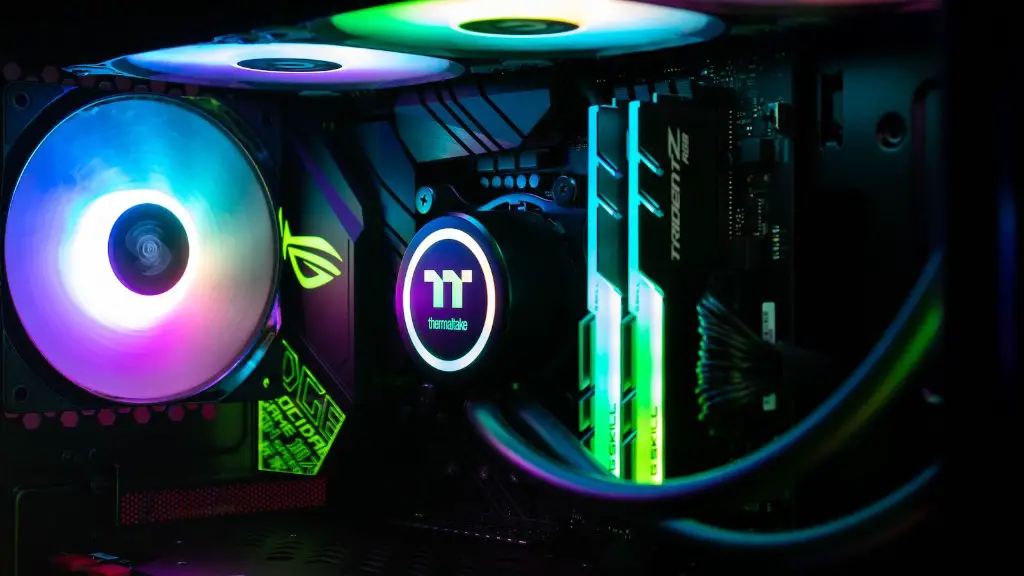
If you’re a gamer and your PC just suddenly started lagging, there are a few things you need to consider. It could be that your system needs to be upgraded, as gaming PCs are designed to handle a lot of intensive tasks with ease. Alternately, it could also be because of a system bottleneck, where the RAM frequency is too low, the graphics card is not capable enough, or your processor is not up to snuff. Additionally, it could also be an issue with the operating system, where certain software is outdated, or certain processes get stuck in a loop. These are the most common reasons why your gaming PC could be all of a sudden lagging.
To begin troubleshooting the issue, you should first double-check to make sure everything is up to date. Install the latest drivers, firmware updates, and system patches, and then restart your computer to make sure everything is running smoothly. If this doesn’t work, try running a diagnostic scan on your system to identify any problems with the hardware or software. You should also check your Internet connection to make sure it’s running at optimal speeds.
Beyond these steps, you can also try adjusting your PC’s settings for optimal performance. Reduce the graphics setting, check the background applications and processes, and free up system memory. This can help reduce the strain on the CPU and GPU, resulting in improved gaming performance.
Furthermore, you can also take the time to defragment your hard drive, and remove any unnecessary files or programs. This helps to speed up the loading times of your games and ensure that the overall performance of your PC is on point. You should also check if you have enough storage space available on your PC, as this can affect overall performance if it’s running low.
If your gaming PC is still lagging, it could be time to step it up a notch and upgrade some of the hardware. Invest in a better graphics card, more RAM, a better power supply, and a faster processor. This will help to ensure that your PC can handle the more intensive tasks that come with modern gaming.
Upgrading the System
One of the most common solutions for gaming PC lag is to upgrade the system. Check the hardware requirements for the games you play and see if any of the components can be improved. Newer components are better at processing data and also take up less power, resulting in faster loading times. Additionally, investing in a faster processor and more RAM can help to reduce the strain on the system and make multitasking much smoother.
You may also need to upgrade the operating system, as using an outdated version can lead to slower loading times and lag during gameplay. You can check if your system is compatible with the latest versions of Windows and then download the necessary updates to ensure that everything goes smoothly. Additionally, it’s also a good idea to make sure the required drivers and patches are installed, as these can make a big difference when it comes to improving performance.
Finally, you should also take a look at other components of the system such as the graphics card, power supply, and storage, as these are all integral parts of the overall gaming experience. If any of these components are outdated, you may need to invest in a new one to get the best performance.
Cooling Systems
One of the most important aspects of gaming PCs is the cooling system, as overheating can cause lag and also damage other components. You can either invest in an aftermarket cooling system, or simply upgrade your current one. The cooling system should be able to provide enough air to keep the components within a healthy temperature range, and also be able to dissipate heat efficiently. A good cooling system should also be capable of minimizing fan noise, as this can be quite distracting when gaming.
Another way to combat overheating is by increasing the airflow within the system. This can be done by adding extra fans or using a larger case with more ventilation. Additionally, it’s also a good idea to check the dust buildup, as this can also affect the cooling efficiency. Cleaning the inside of the PC and replacing the air filters regularly can help to keep the components running optimally.
Additionally, you can also adjust the computer’s BIOS settings, as most gaming PCs come with specific settings for gaming. This should help to reduce the heat output and ensure that the system runs within optimal temperature range. Finally, it’s also a good idea to check the temperature sensors, as modern gaming PCs come with temperature monitoring capabilities.
Software Troubleshooting

Software can also be a major contributing factor to gaming PC lag, as outdated applications can cause performance issues. Make sure all the necessary programs are up to date, and uninstall or disable any applications or services that you don’t need. You can also try clearing the web browsing history and temporary files, as this can help to free up system resources.
Another way to improve performance is to install removal utilities, as these can help to defragment the hard drive and identify any problems with the system. Additionally, it’s also a good idea to run regular virus scans, as malware and viruses can cause lag as well. Finally, you can also take a look at system optimization utilities, as these can improve performance by tweaking the registry and other system settings.
Power Settings
The power settings of your PC can also affect performance, as power-saving settings can cause lag and slow down overall gaming performance. Check the power settings and make sure the performance option is enabled instead of the power-saving option. Additionally, you should also check the settings for the USB ports, as having the incorrect settings can cause lag as well.
It’s also a good idea to lower the resolution of the games you’re playing if they are too high. This can help to reduce the strain on the system and also boost performance significantly. Finally, if your PC is still lagging, you can try overclocking the processor or graphics card, but take into consideration any risks involved.
System Bottlenecks
Sometimes, performance issues can be caused by a system bottleneck, which occurs when a component of the system can’t keep up with the others. This often happens when the RAM frequency is too low or when the processor is not powerful enough. As such, it’s important to match the specs of each component to ensure that the performance of each piece is enough for the tasks that you’re doing.
If you’ve identified a system bottleneck, the only way to fix it is to upgrade the component in question. You can either invest in a new processor or RAM with higher specifications, or if your CPU is a bottleneck you can invest in a better cooling system to help it keep up with the other components. Additionally, you should also upgrade the graphics card if needed, as this is a major component of gaming PCs.
It’s also a good idea to make sure the power supply is adequate for the system, as a lack of power can lead to performance issues as well. Invest in a power supply with a higher wattage, as this will ensure that the PC is capable of running all the components at full speed. Finally, keep an eye out for any overheating components, as this can cause the system to lag as well.
