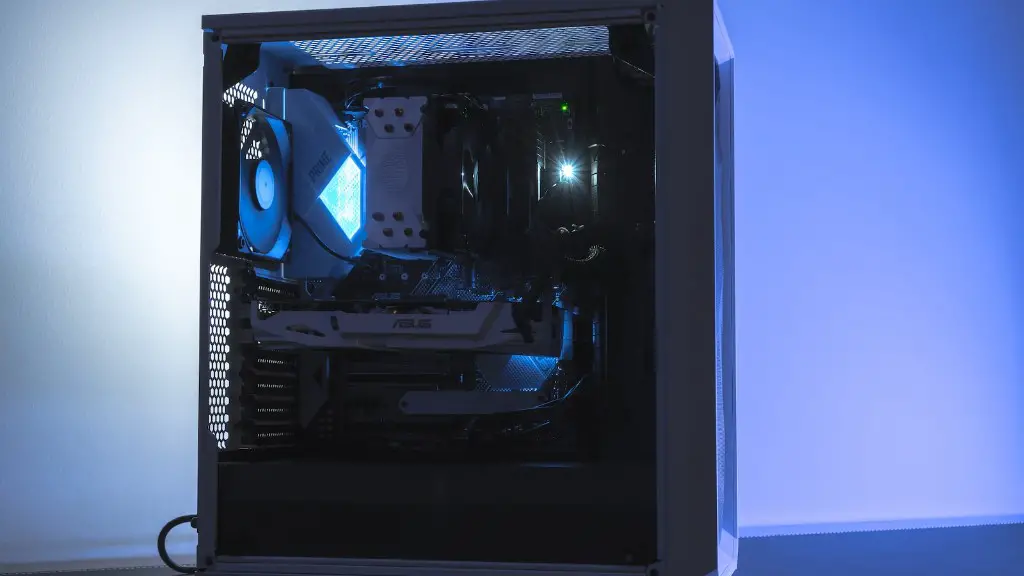
Gaming PCs are becoming ever more popular, but how do you know if a gaming PC is good? The answer is not as simple as it sounds, as different gamers have different needs and expectations from their gaming experience. Here are some tips to help you evaluate whether a gaming PC is good for your needs.
1. First, consider whether the hardware specs of the gaming PC are up to your standards. Check what type of CPUs, GPUs, and RAM are available, as well as other features that may enrich your gaming experience. Look for PC models that have a balance between performance and price.
2. Think about the cooling system. Since gaming PCs can get hot while playing, you should ensure that the PC has a good cooling system. You can check whether it has liquid cooling, or a case fan, or both. Good cooling mechanisms can help reduce noise and prolong the life of the hardware.
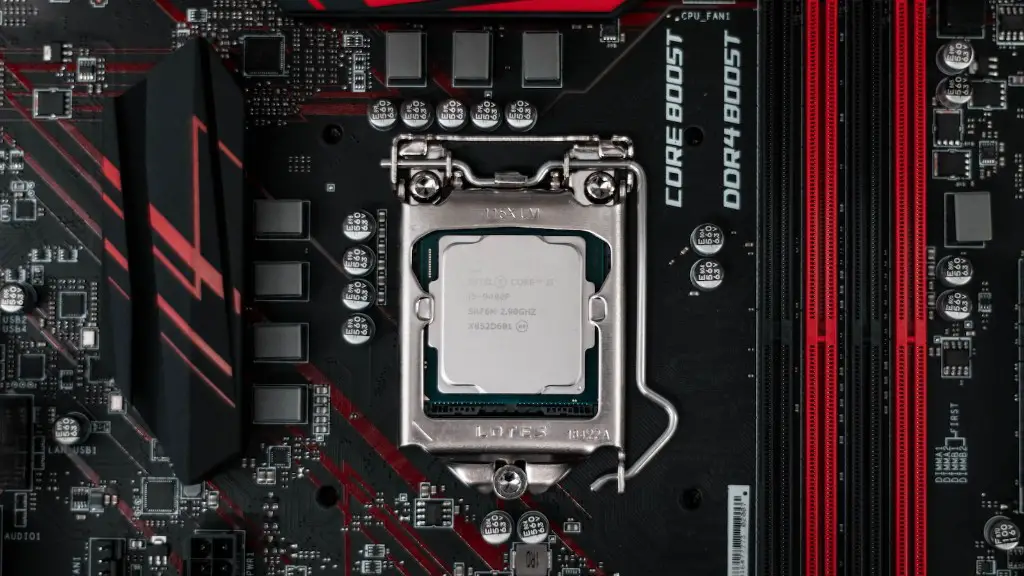
3. Know what types of games you want to play. Different types of games may require different levels of hardware power, so take this into consideration when evaluating gaming PCs. Some games need higher GPU card models, while others may be fine with the lowest settings.
4. Find out the type of space required by the gaming PC. Some PCs are designed to fit inside a regular desktop computer case, while others have much roomier and larger cases that require more space. Consider the space around your desk or gaming area and compare it with the size of the gaming PC.
5. Research the PC’s warranty and return policy. You should be able to find out what protections you get if the PC has any problems. While it’s difficult to predict any possible issues, it’s best to be on the safe side and better be prepared to deal with any unexpected outcomes.
6. Consider the prices of the gaming PCs. Many gaming PCs come with hefty price tags, but there are also many budget-friendly options for casual gamers. Look for good discounts on the market and evaluate whether you truly need certain features before making an expensive purchase.
7. Check reviews from other gamers who already have the gaming PC. Their feedback can be a great source of information to get an understanding of how the PC runs. The reviews should include mention of the PC’s performance, stability, and ease of use.
Graphics Card Quality
The quality of the Graphics Processing Unit (GPU) is essential when it comes to gaming PCs. It is the graphics card that determines the quality and clarity of the visuals when playing games. Look for PC models that come with powerful GPUs such as the Nvidia RTX series or AMD Radeon Pro series. The higher the number of pixels per inch, the greater the graphics detail you will have.
Unless you are a hardcore gamer or are playing games that are processor-heavy, there is no need to spend a fortune on GPUs. Lower-range GPUs such as the Nvidia GTX 1060 or AMD Radeon RX570 should be enough for most gamers. They are powerful enough for gaming and can also be used for virtual reality (VR) gaming. Perform a test to gauge graphics performance and check whether the gaming PC meets your needs.
It is also worth considering a gaming laptop if you’re looking for a portable device to play games on. Many laptop PCs come with powerful GPUs and offer high frame rates, but their portability makes them ideal for traveling. It can be a good alternative if you don’t want to pack a lot of bulky gaming gear while still getting the same gaming experience.
Peripherals Quality

When evaluating a gaming PC, it is also essential to look into the peripherals available on it. Keyboards, mice, and gaming controllers are essential peripherals that need to be of good quality. Look for gaming PCs which have ergonomically designed keyboards, sensitive and accurate mice, and controllers with smooth and tactile feedback.
Gaming headphones are also increasingly popular and offer a superior gaming experience. Look out for headphones with noise cancellation technology so that you can get immersed in the game without any outside noise. If you play with a group, look for microphones with noise cancellation and a wide range of connectivity options.
Another device to add to your gaming PC package is a gaming monitor. Many gaming PCs come with built-in monitors, but some gamers prefer to use a separate and bigger monitor for better clarity and visibility. Look for monitor types such as LCD, LED, OLED, or QHD, depending on your preferences and budget.
Gaming PCs are more than just powerful hardware. With the right peripherals, server packages and monitors, you can have a gaming PC that meets all your needs and is worth every penny. This is what makes a gaming PC good.
Software Compatibility

Before purchasing a gaming PC, also consider what software it is compatible with. Most gaming PCs run on the Windows operating system, but there are also other options to choose from such as Linux. Also, check what kind of software licenses come with the PC and whether they need to be renewed on a regular basis. Make sure the gaming PC can run the games you want to play.
Most gaming PCs also come with pre-installed software such as anti-virus and anti-malware protection, internet security and firewall. It is also worth looking for online gaming platform such as Steam and Uplay, which can provide direct access to game updates and expansions, as well as access to the gaming community.
Pay attention to the BIOS settings and other system settings available on the gaming PC. Most gaming PCs have their own control so that you can customize and adjust the settings as you want. Make sure the settings you’re interested in are included in the package.
Finally, take a look at the file system and the storage capacity, as this can greatly influence how you manage and store files on your gaming PC. Most desktop gaming PCs have plenty of storage space, but the same cannot be said for gaming laptops. If you need extra storage and data management, look for gaming PCs with a good mix of internal and external storage options.
Computer Build Quality

Apart from hardware and software specs, the build quality of a gaming PC is also essential. Look for gaming PCs with a sturdy chassis, as well as components that have been tested to meet safety and quality standards. Check if the case can be easily opened and if the logo and company name are clearly visible. This can be a sign that the gaming PC was manufactured by a trustworthy company.
Also, look for gaming PCs made with high-quality materials and components. Look for gaming PCs that come with an extended warranty option and make sure to ask detailed questions if possible. Good gaming PCs should have efficient fans, dust filters and ports to protect your gaming gear.
Finally, check if the manufacturer offers customization options. Many gamers prefer to customize their gaming PCs to meet their personal preferences. This includes customizing hardware, software and even design. Look for vendors that offer a wide range of options and accessories for gaming PCs.
Upgradability
When evaluating gaming PCs, make sure to take into account the possibility of upgrades in the future. It is important to know how much power the gaming PC can handle, and how it can be upgraded in case you want to get the latest games. Also, consider if the PC can be easily upgraded without needing to buy an entirely new gaming PC.
Check if the CPU, GPU, RAM and other components are easily accessible. Some gaming PCs also accept additional components such as more powerful GPUs, additional RAM and solid-state drives. If you plan to upgrade the PC in the near future, contact the manufacturer and ask them if the gaming PC can be modified.
Finally, look for vendors who offer discounts and deals on upgraded gaming PCs. Some vendors may offer a discount on a higher-end model that has more features than the base model. Also look for update kits that can provide a boost to the performance of an older gaming PC.
By considering these tips, you will be able to determine whether a gaming PC is good or not. Hardware, software, peripherals, cooling system, warranty and upgradability are all factors to consider when making your evaluation. With all these in mind, you should be able to easily find a gaming PC that is perfect for your gaming needs.
