
Deciding to purchase a gaming PC is a major decision. It requires understanding different components, a budget range, technical specs and more. Whether you are an experienced gamer or are attempting to join the gaming world, these are some of the important details you should be aware of prior to buying a gaming PC.
Processor Specifications
For high-level gaming, having a high-end processor is essential. You’ll want to focus on processors like the AMD Ryzen or Intel Core i7 if you’re looking for maximum performance. This is because they have more cores and threads; the more cores, the better it is for multitasking and for running resource-heavy games. Additionally, dual-channel memory architecture is more powerful since it is the most effective way of using two sticks of RAM.
Graphics Card (GPU)
Similar to the processor, the graphics card plays an important role in gaming on a PC. Better GPUs can process more demanding graphics, making for smoother gaming. Graphics cards from NVIDIA and AMD come with varying specifications and capabilities and should be chosen depending on your budget, game requirements and other internal components.
External Peripherals
Having the right peripherals alongside your gaming PC can make or break your gaming experience. Key items include a quality keyboard and mouse, as well as a gaming chair and monitor. Invest in a good quality headset with built-in microphones to provide a more immersive gaming experience and make sure you capture every sound experience. When selecting external peripherals, remember to check the compatibility and system requirements ahead of time.
Cooling Capacities
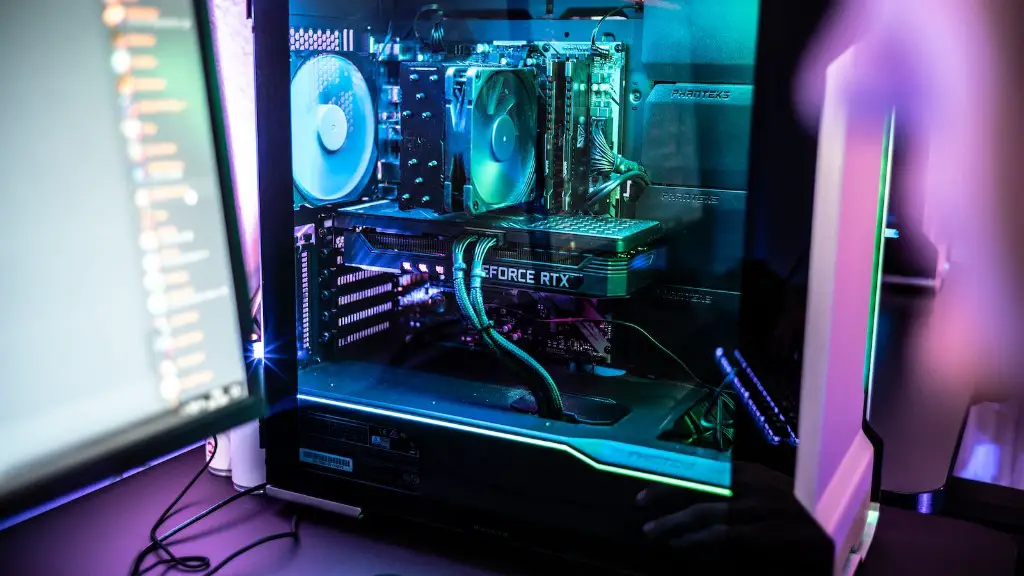
Your gaming PC must stay cool or else you’ll face stuttering and performance issues. As such, you’ll want to consider a PC case with good cooling capacity. This includes, but is not limited to, liquid cooling, air cooling, fan positions, ventilation and better heat dissipation.
Display Quality
For the best gaming experience, you’ll need a display that offers at least a 60Hz refresh rate and can go up to 144Hz. You’ll also want to choose the right aspect ratio (16:9, 21:9, etc.), resolution (1080p or above) and display type (IPS or TN, etc.) depending on what you prefer.
Network Connectivity
Online gaming experiences can be significantly improved with better network connectivity, like an Ethernet cable for a faster connection. This should be supported with an 802.11ac wireless connection for uninterrupted and stable gameplay with minimum latency.
Storage Capacity
Not all games need a massive storage capacity, but some games do need much more. Usually, an SSD with good read and write speeds can suffice for most titles, but before buying, you should confirm the system requirements to ensure you have enough storage for the games you want to play.
RAM
RAM, or Random Access Memory, is where running programs and games are stored. If you want to experience smooth and responsive gameplay, then having the right amount and type of RAM in your gaming PC is essential. DDR4 RAM is the most popular choice but if you can afford it, then an even faster option which is the DDR5 RAM available.
Power Supply Unit
When considering the purchase of a gaming PC, the power supply unit is just as important as any other component. This is because a quality power supply unit should ensure that all components receive the power needed to run smoothly and without interruption. Generally, you’ll want a power supply unit with a minimum rating of 500W.
Blend of Performance and Preference
While it’s tempting to aim for the highest specifications, you must find the best balance between performance and preference. To do this, you’ll want to adjust the specs of your gaming PC to make sure it suits your needs both today and in the future. Think about the types of games you want to play, your budget, and the preferences of other people who might use the system.
Compatibility
One of the most overlooked issues when purchasing a gaming PC is compatibility. Make sure all the parts you’re looking for are compatible with each other and also check for system requirements for particular games. This can help ensure that your gaming PC runs smoothly and you don’t end up wasting money on non-compatible components.
Community Assistance
Getting advice from those in the gaming community can make a huge difference in the purchasing process. Checking online forums or participating in online discussions regarding gaming PCs can give you insights into what components to choose, what manufacturers to avoid, and many other helpful pointers.
Bundled Peripherals
Many gaming PCs come with additional peripherals such as keyboards and mice; thereby reducing the cost of buying them separately. Before you purchase, you should check what comes in the bundle and if they have the specs you are looking for. If everything works out, then you can save yourself some valuable cash.
Reputation of Manufacturer
When looking for a gaming PC, be sure to research the reputation of the manufacturer. A reputable brand will ensure that you get good after-sales support and quality components compared to cheaper, lesser-known manufacturers. Consider the reviews and feedback of other customers and go with a reliable brand that has good ratings.
