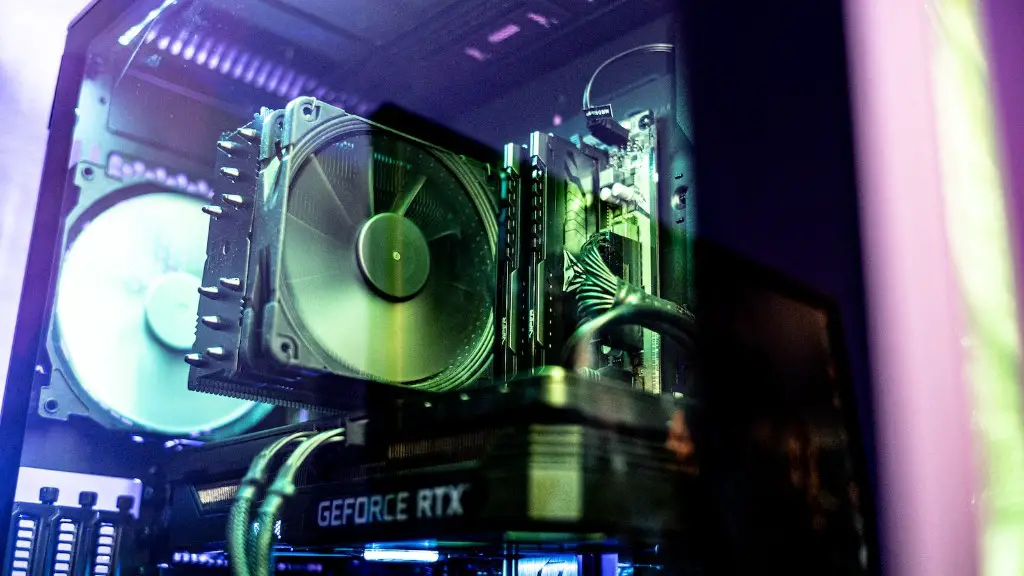
In today’s digital world, having a streaming PC and gaming PC is essential. But it can be difficult to know where to start and how they work together. With a few simple steps, you can build both types of PCs with ease. For your streaming PC you’ll need a powerful processor, good RAM and sufficient storage, while your gaming computer needs a powerful GPU, lots of RAM and extra storage for games. It’s also important to create a reliable internet connection for your streaming activity and a good fan setup for your gaming PC.
Building a streaming PC demands a powerful processor, such as the Intel i9 or AMD Ryzen processors. A good graphics card isn’t necessary for streaming and other activities, but it will help your streaming PC run smoothly. RAM is also important for streaming, since you need enough RAM to run multiple applications and software tools. Last but not least, you’ll need adequate storage to store your streaming files and media. With the right setup, your streaming PC will be able to handle any of your streaming activities without breaking a sweat.
On the other hand, your gaming PC needs a powerful graphics card to run games smoothly. You’ll also need enough RAM to support the graphics card and a good cooling system. That way, your gaming PC won’t overheat when playing games. As for storage, you’ll need enough space to store your games and other applications installed. With a powerful GTX or RTX graphics card and a great cooling system, your gaming PC will be fully optimized.
In addition, your internet connection is an important factor when creating a streaming PC. With a reliable internet connection, your streaming activities will run smoothly with minimal interruption. It’s also important to note that streaming activities can be quite bandwidth-intensive and require a fast connection, so make sure to find a good plan with good speed and bandwidth.
Finally, it’s important to take care of your gaming PC. Make sure to maintain a clean fan setup and use dust filters to keep your components cool. That way, your gaming PC can perform optimally and keep your hardware from overheating.
Image Quality In Streaming PC and Gaming PC
Streaming PC and gaming PC have different levels of image quality when streaming content and playing games. This is mainly because streaming PC relies on CPU streaming power while gaming PC requires a powerful GPU. With a powerful GPU, gaming PC can have higher image quality settings when playing graphics-intensive games, while streaming PC is limited to the resolution of its processor.
That said, streaming PC offers other advantages. As mentioned earlier, streaming PC can handle streaming activities without breaking a sweat, while gaming PC can be limited in terms of resources. This means streaming PC is more ideal for streaming activities as it can provide better results in terms of quality, speed and reliability.
Moreover, streaming PC and gaming PC also have different network requirements. For example, streaming PC needs a reliable internet connection to stream content, whereas gaming PC only needs an internet connection if you’re playing games with other players. This makes streaming PC better suited for streaming activities, as it will be able to provide more consistent performance in terms of network speed.
Lastly, your streaming PC and gaming PC will also require different audio settings. Streaming PC requires audio settings that make it easier to communicate with other players and viewers, while gaming PC requires audio settings that make it easier to enjoy your games. With the right settings, your streaming PC can provide better audio quality than gaming PC.
Software Setup For Streaming PC And Gaming PC
In addition to hardware setup, setting up the software in your streaming PC and gaming PC is essential. These two types of PCs have different sets of software requirements, so it’s important to find the right software to ensure optimal performance. For streaming PC, you’ll need software such as OBS Studio or XSplit for your streaming needs, and for gaming PC you’ll need to keep your games and drivers up-to-date to ensure optimum performance.
Aside from software, setting up the hardware for your streaming PC and gaming PC is also essential. You’ll need to ensure that your hardware is compatible with the software you’re using, as different software may require different hardware configurations. For example, OBS Studio and XSplit both require powerful processors, lots of RAM and adequate storage to run smoothly.
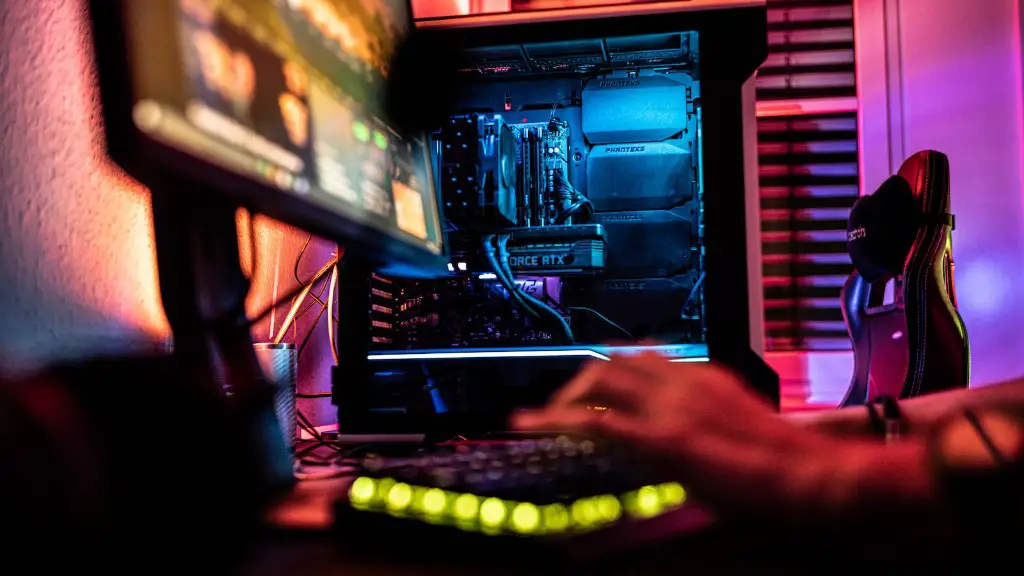
Moreover, you’ll also need to take into account the types of games you intend to play on your gaming PC. Not all games require the same hardware setup, so it’s important to know the hardware requirements for the games you’re planning to play. That way, you can ensure that your gaming PC is properly optimized for the games you want to play.
Storage For Streaming PC and Gaming PC
Another important factor when setting up your streaming PC and gaming PC is storage. Both types of PCs require adequate storage space for their respective tasks. Streaming PC requires plenty of space to store your content and media, while gaming PC requires enough space to store your games and other applications installed. It’s important to ensure that the storage in your streaming PC and gaming PC is properly optimized for the respective tasks.
On top of that, it’s also important to consider the sizes of the files in your streaming PC and gaming PC. For streaming PC, you’ll need video files that can fit your setup without taking up too much space. For gaming PC, you’ll need to consider the sizes of the games you’re planning to install. Make sure to check the game files’ sizes and check the available storage in your gaming PC.
In addition, it’s also important to take into account the types of storage you’re using. For streaming PC, you’ll need to prioritize speed, so you may want to opt for an internal SSD for faster loading times. On the other hand, gaming PC may benefit more from larger storage space with HDDs, as you’ll need enough space to store games and other applications.
Conclusion And Maintenance For Streaming PC And Gaming PC
When setting up your streaming PC and gaming PC, it’s essential to ensure that they’re properly optimized. Make sure to configure their hardware and software settings, as well as their storage capacities to ensure optimal performance. Additionally, you’ll also need to pay attention to the types of content you’re streaming and the types of games you’re playing, as they can have different requirements in terms of hardware and software.
Aside from optimizing your streaming PC and gaming PC, it’s also important to take care of them. Make sure to maintain a clean environment for your PCs, as well as replace any worn out parts and upgrade your hardware when necessary. Additionally, it’s also important to keep your software and drivers up-to-date to ensure your PCs’ performance and stability.
Conclusion
In conclusion, setting up a streaming PC and gaming PC isn’t as complicated as you may think. With the right hardware, software, and storage setup, as well as proper maintenance, you can have both types of PCs running smoothly. Make sure to keep your streaming PC and gaming PC up to date, as they can become outdated over time. That way, you can ensure that your streaming PC and gaming PC remain optimized and perform optimally.
