As a gaming enthusiast, you’re likely wondering if you should buy or build a gaming PC. There’s no straightforward answer; it depends on a lot of factors, including your budget, experience, purpose, and preferred gaming style. Below, we’ll discuss the pros and cons of investing in pre-built or custom-built gaming PCs.
Pre-built PCs were once deemed the less attractive option due to cost, but the current market offers an array of high-quality gaming PCs that won’t break the bank. If you don’t have the technical knowledge to build your own, buying a pre-built gaming PC is a great option. You easily can select a setup that’s tailored to your needs, without worry or hassle. Pre-built PCs don’t require any additional assembly, but if you need more customization, they can be upgraded. The main drawback is the cost. Even more budget-friendly PCs typically are more expensive than you’d be paying for custom parts.
If you’re budget-conscious and a DIY enthusiast, then building a gaming PC is the way to go. You’ll have full control of the parts that go into the system, and you likely will save money in the long run. Building your own gives you the opportunity to select whatever components you prefer and it also allows you to more easily upgrade the system. You can swap out and add parts as needed. Plus, you’re in charge of installing the software and you only need to buy the parts that you need–avoiding any unnecessary expenses. Building a gaming PC does require some technical know-how, though. In most cases, you’ll need knowledge about system specs, installation and configuration.

The question of whether you should buy or build a gaming PC really comes down to a few factors: budget, experience and purpose. If you’re looking for convenience and can spend the extra money upfront, a pre-built gaming PC is an ideal choice. However, if you’re looking to save money in the long run and you have (or are willing to gain) the technical skills, building your own gaming PC is the way to go.
Components
When building or buying your own gaming PC, the first step is to identify the parts and components needed in order to create the powerful gaming machine of your dreams. Key components include a Central Processing Unit (CPU), Random Access Memory (RAM), power supply, storage, and a graphics adapter. Many experienced and novice gamers purchase gaming-ready PCs that come with preinstalled components. This is an easier option for those who do not have the technical knowledge necessary to choose the parts, or if you want to just invest in an out of the box gaming machine. Other gamers custom build their rigs, with this route offering the opportunity to really get hands-on when creating your own gaming machine. Whichever route you choose, getting to know the components and their specs is essential to maximizing the performance of your gaming PC.
Operating System
Once you settle on a computer and its components, the next step is finding an operating system that best suits your gaming needs. Windows 10 has quickly become the go-to operating system of choice when it comes to gaming. Microsoft designed it with gamers in mind, leveraging the power of DirectX 12 to improve gaming performance. Windows 10 also features features like Game Mode, which enhances overall gaming performance, and allows gamers to better take advantage of their PC’s available resources.
When choosing an operating system, though, there are other options that gamers may want to consider. Windows 10 is the most popular, but some choose to run Linux. This open source platform offers a range of advantages, including better stability and performance, with Linux performing better on less powerful system specs than Windows. You also may want to consider macOS for gaming. It easily can handle games from older consoles and modern titles, with running some of the most popular games.
Upgrade & Maintenance

Another factor to consider when deciding to build or buy a gaming PC is upgrade and maintenance potential. Many experienced computer tinkerers may find that it’s more cost effective to custom build a gaming PC than to purchase an out of the box rig. This is due to the ability to easily swap and upgrade parts over time. More budget-friendly PCs may not offer the same upgrade and maintenance potential due to the fact that its parts are lesser quality and may not easily be replaced. One of the primary benefits of custom-building your own rig is that you can select parts with better build quality, ensuring premium performance and longer component life cycles.
For gamers who don’t want the hassle of tinkering around with parts, pre-built gaming PCs may be the better option. Unfortunately, the ability to upgrade or maintain a pre-built gaming PC is largely based on its construction and components. The more expensive machines usually are built to a higher standard and may require less tinkering. Your decision ultimately should depend on your budget, experience and preferred gaming style.
Storage Capacity
Storage capacity is a key element to consider when choosing a gaming PC. Having multiple storage options is essential for most gamers, as the budget can’t always cover the cost of a large and fast storage drive. Solid-state drives (SSDs) are the preferred choice when it comes to gaming, as they provide lightning-fast speed when saving and loading games. HDDs are also necessary for long-term storage, as having an SSD with too much data can lead to significant slowdowns. When building, keep in mind that larger drives and multiple drives cost more. You’ll also need an adapter for both HDDs and SSDs for installation. Some Xbox and PlayStation games require external drives for installation.
Case & Aesthetics
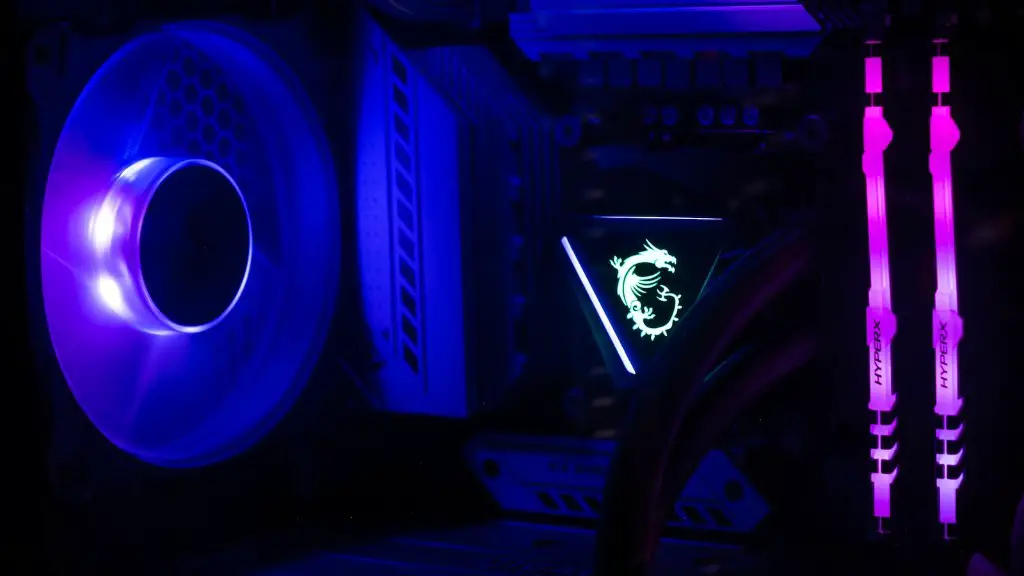
Aesthetics may not be first on the list when building a gaming PC, but any gaming enthusiast knows that the look of a gaming rig can be just as important as its specs. A gaming PC must have a decent-looking case, just as any other PC. This can range from affordable, basic cases to more elaborate and expensive RGB-equipped cases. When deciding on a PC case, you should consider its size in relation to its interior capacity and compatibility; not all cases can house all motherboards, components and drives. Low-profile cases are ideal for small desk space, allowing for a more compact, elegant setup.
No matter how you plan to build or buy your gaming PC, the most important factor to consider is the purpose. Knowing your goal and the level of performance you’re aiming for goes a long way in helping you settle on the right parts, components and features. Once you assess the available options, you’ll have a clear idea of what works best for you and you can get on your way to creating the gaming PC of your dreams.
