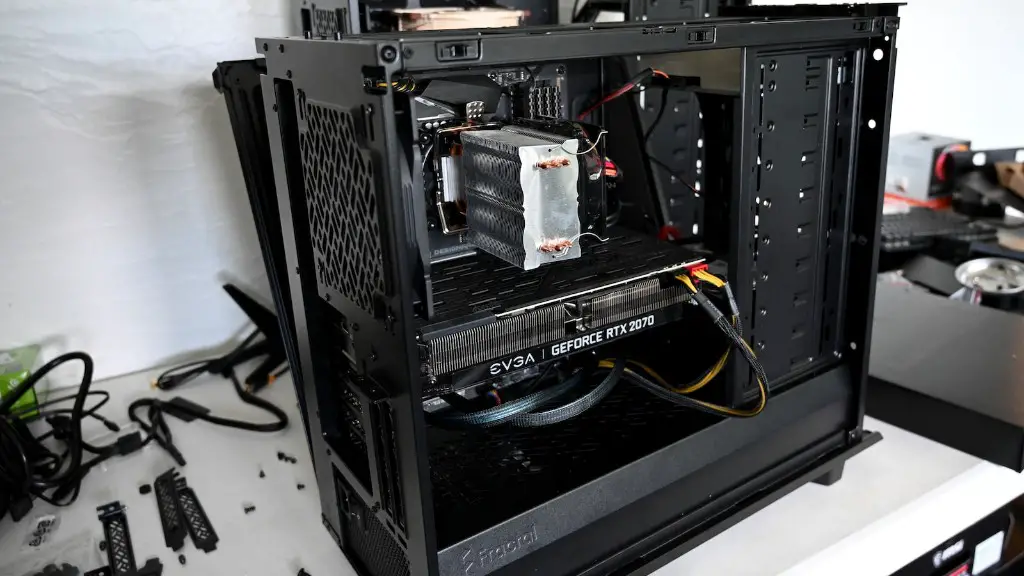
With four main parts – your PC’s specs, the graphics card, the cooling system, and the storage – you can make your gaming PC run better. There are a few simple steps you can take to greatly improve your gaming experience. To start with, consider increasing the RAM of your PC. Adding an SSD to your system is another great way to make it run better. Setting up a proper cooling system is also an essential part of enhancing your gaming setup. Finally, optimizing the settings for your graphics card will ensure smoother, more enjoyable gaming.
Increasing RAM
Leaving the technical aspects behind, the most important upgrade you can do to make your gaming PC run better is to increase the RAM. RAM is memory dedicated to running programs. Without enough RAM, your programs won’t be able to run as efficiently. The more RAM you have, the faster and smoother your gaming experience will be. Ideally, you should get at least 8GB of RAM.
Adding an SSD
An SSD, or a solid state drive, is a type of computer storage that is able to access data much faster than a traditional hard drive. SSDs are the preferred choice for gaming for several reasons. Firstly, an SSD is much faster than a regular hard drive. Secondly, an SSD can increase the loading speeds of your games, making the gaming experience more enjoyable. Finally, an SSD will also reduce the amount of power your system consumes, which could lead to lower electricity bills.
Optimizing Cooling System
The cooling system of your gaming PC is a crucial component that should not be neglected. An inadequate cooling system can lead to overheating and other issues, resulting in performance and stability problems. Installing a stronger cooling fan, along with extra radiators, is a great way to ensure that your gaming PC is able to maintain optimal temperatures when running. You should also install a dust filter to keep the inside of your PC clean.
Optimizing Graphics Card
Finally, you should also make sure that your graphics card is correctly set up. Depending on your GPU, you may be able to make adjustments to your settings in order to increase your performance and make games run smoother. If you’re using a recent Nvidia card, for instance, you can use their GeForce Experience software to optimize your settings for maximum performance.
Upgrading Processor
When it comes to making a gaming PC run better, upgrading the processor is one of the most important steps. A good processor will allow your other components to reach their full potential. Look for Intel or AMD CPUs that offer the best performance for your budget. Keep in mind that your choice of processor might limit other components in your system, so be sure to check the compatibility of your components before making any decisions.
Using A Dedicated Graphics Card
If you want to make your gaming PC run better, then it’s a good idea to invest in a dedicated graphics card. While integrated graphics chips are fine for casual gaming and some older titles, you’ll need a dedicated GPU if you want to enjoy the latest games in their full glory. Be sure to do some research and pick a GPU that’s tailored to your needs and budget.
Upgrading Power Supply
Your power supply unit (PSU) supplies power to your gaming PC. It’s important to make sure that your PSU is powerful enough to support your components. If your PSU is too weak, you may experience instability and other issues. Upgrading your PSU to a bigger, more powerful one will ensure that your system runs more efficiently and increases the lifespan of your components.
Cleaning The Inside Of Your PC
You should also regularly clean the inside of your PC to get rid of dust and other debris that may be affecting the performance of your system. Dust can clog up the fans in your system, resulting in reduced airflow and increased temperatures. You should use a can of compressed air to clean the fans and other components in your case, as well as a lint-free cloth to wipe away any dust and debris.
Installing An OS
Upgrading the operating system (OS) of your gaming PC is a fantastic way to make it run better. If you’re using an older version of Windows, upgrading to the latest version will bring a plethora of performance improvements and optimizations that will help your game run better. You should also install the latest updates and drivers for your components, as this can also improve performance and stability.
Overclocking The CPU And GPU
If you’re looking for the ultimate boost in performance, then overclocking the CPU and GPU can be an effective method. Overclocking involves pushing the components of your system beyond their rated speeds. This can lead to increased performance, but it can also be dangerous and can lead to instability issues. You should only do this if you know exactly what you’re doing and have adequate cooling for your components.
