
Background Information
Making your own gaming laptop has become more common in the last decade for the computer enthusiast who is willing to spend the time and money on their own customized gaming machine. A laptop can be built to fit any budget and meet any gaming performance needs – provided the owner knows what they are doing. Cramming a laptop with hardware won’t always guarantee good performance – that also requires carefully selecting the right components as well as have a good understanding of software optimization.
Parts Needed To Make a Gaming Laptop
Making a gaming laptop requires specific parts and components, such as a CPU, GPU, RAM, a motherboard and a hard drive. The main purpose of these components is to make sure that the laptop runs smoothly and offers its user an outstanding gaming experience. CPUs are important for their processing power – they handle the heavy calculations and multitasking. GPUs, on the other hand, are mainly responsible for the laptop’s graphical performance, as well as accelerated multimedia capabilities. Another essential part of the build are the RAM and the storage.
Understanding Software Optimization
Owners of a gaming laptop must be able to understand how to optimize the system’s software for best performance. Software such as drivers, BIOS settings, memory and game settings all need to be optimized for the best gaming performance. Installing the latest drivers for the GPU and other peripherals used in the laptop is also essential for ensuring that the laptop runs efficiently and optimally.
Cooling Systems

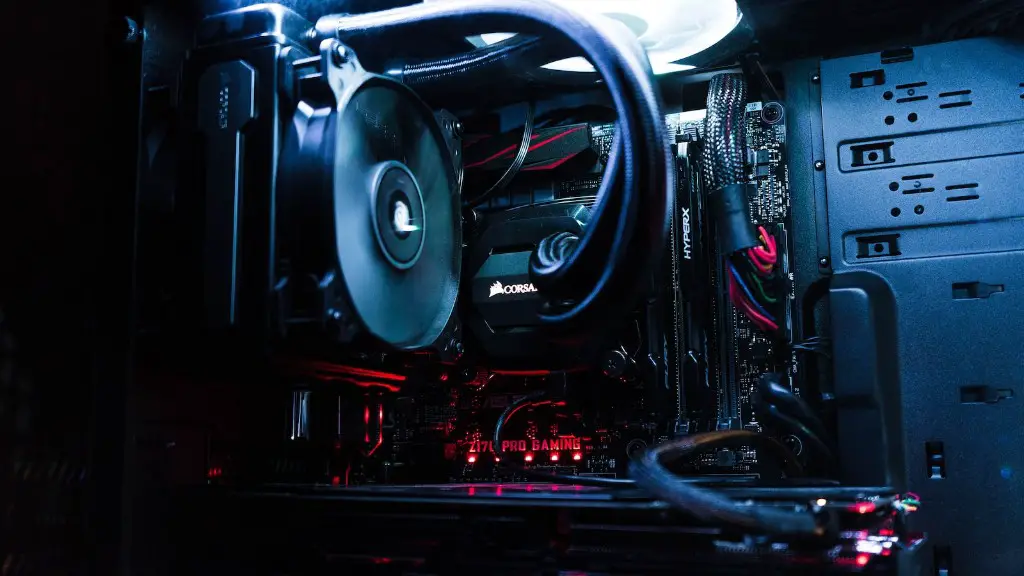
One of the most important aspects of building any high-performance PC, let alone a gaming laptop, is cooling. Laptops come with integrated cooling solutions or even fanless designs, which are far from ideal for gaming laptops. Powerful GPUs and CPUs generate a lot of heat, which must be dissipated properly in order to prevent the system from crashing or even causing damage to the laptop.
Budget Considerations
Making your own gaming laptop might require a big chunk of money, depending on the components chosen. On the other hand, pre-built gaming laptops can easily get expensive. In some cases, it might be cheaper to build a laptop from its components then to buy a gaming laptop from the retailer.
Creative Customizations
Building your own gaming laptop provides very interesting opportunities for creative customizations. As the owner of the laptop, you can choose from a wide array of parts and components to customize your laptop’s look and feel. You can get creative with the laptop’s design, the chassis, the lights, and the audio system.
Easy Messing And Upgrading
Owners of pre-built laptops will find it hard or even impossible to upgrade their laptops with new components. Building your own laptop means that you can easily upgrade and modify it, which is an important advantage for gamers who like to get a better experience or to take advantage of the latest hardware.
Maintenance And Troubleshooting
Owning a gaming laptop provides the owner with an invaluable experience of understanding and being able to troubleshoot computer system problems. Being able to identify and correct hardware and software issues is a powerful experience for any gamer. Assembling a gaming laptop from its component means that the owner can easily diagnose and fix malfunctions and glitches, should any arise.
Can I Make My Own Gaming Laptop?
Making your own gaming laptop is possible and can potentially be more cost-effective then buying a pre-built laptop. However, the project requires much effort and expensive components and the learning curve is quite steep and can be frustrating for inexperienced owners. Therefore, before starting assembling a gaming laptop, it is important to know what one is getting into.
Educating Yourself On Components
Making a gaming laptop requires careful selection of the components, for their compatibility with each other, the cooling system, and their overall performance. Educating oneself on the different parts, how they interact with each other, and how to optimize the laptop’s software is essential for having a good gaming laptop.
Researching Your Parts
Before starting to buy parts and components for the laptop, researching and comparing different brands and models is essential for getting the best parts for the best price. Gaming laptops should ideally use the latest components that can handle their gaming needs, as well as their longevity.
Getting The Balance Right
Getting the optimal balance between performance, budget, and the quality of the components is usually the most difficult task in building a gaming laptop. If the laptop is too powerful, it won’t be able to handle the thermal pressure and will quickly break down. On the other hand, if the laptop is not powerful enough, it won’t be able to handle the latest games. It is important to know what games will be played on the laptop and to build accordingly.
Ensuring The Laptop Will Fit Your Needs
No matter the power of the laptop, making sure that it fits all of the user’s needs is essential for gaming. It is important to consult game-specific forums for streaming, video editing, and other tasks in order to build the laptop accordingly.
Managing Heat Output
All gaming laptops generate a lot of heat and must have proper cooling in order to maintain optimal performance. Air cooling with heat sinks, thermal paste, and cooling pads are all essential for keeping the laptop’s temperatures under control and avoiding overheating.
Managing Power Consumption
Gaming laptops can be really power-hungry and can quickly drain the battery. It is important to ensure that the laptop has excellent power management and that the power adapter is powerful enough to handle the load. It is also important to use a laptop that is not too power-hungry, therefore saving money on the electricity bill.
Hiring Professional Help

Hiring a professional to build and optimize the laptop may prove to be cost-efficient as they can provide insights and expertise as well as optimize the performance of the laptop. It also helps to ensure that the laptop is built correctly and that all of the components are compatible with each other.
