Computer monitors are a necessary part of any computing setup, so how do you choose the right one? Whether you’re browsing online or in store, you’ll noticed the two main types of monitor: standard monitors and gaming monitors. So what’s the difference between the two?
A standard monitor is the most cost effective and often the most suitable for general home office or general computing tasks. Where a gaming monitor is designed for high-resolution gaming and designed to improve the gaming experience with higher refresh rates, contrast and more.
Standard monitors usually come with fewer features than gaming models. For example, they have far lower refresh rates and can’t display as many colors. This has a serious impact on how immersive a gaming experience can be. Gaming monitors are designed to take advantage of higher resolutions and more detailed graphics, making them perfect for gaming environments. Furthermore, gaming monitors offer features such as motion blur reduction, anti-aliasing and adaptive sync.
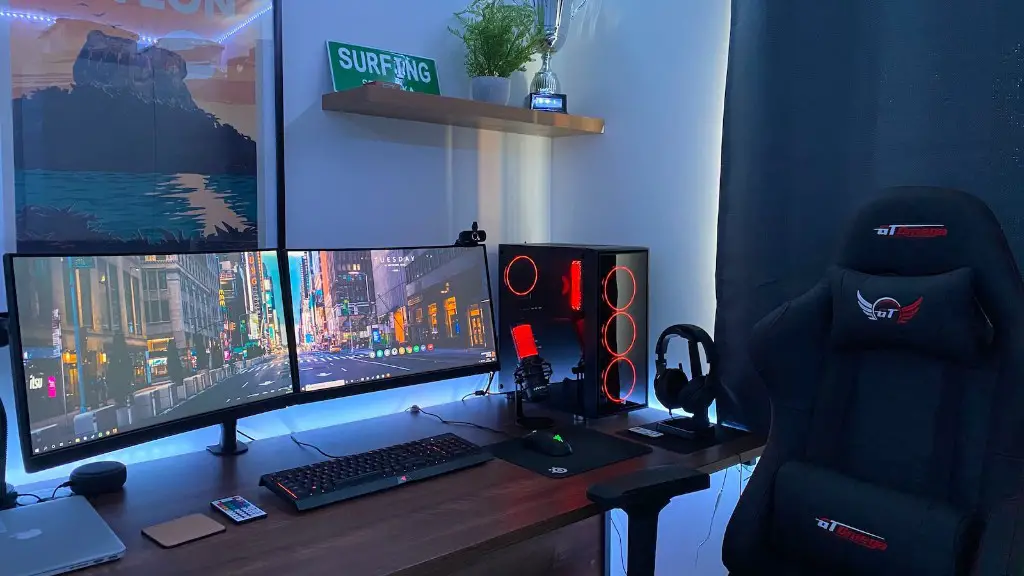
In addition, gaming monitors are optimized to keep up with the demands of even the most intense gaming sessions. They have higher refresh rates than standard computer monitors. This eliminates ‘screen tearing’ which is a glitch where two frames of video appear to be misaligned with one another. They also boast better response times, which help to enhance the fast paced action of today’s games.
To summarize, a gaming monitor is more advanced than a standard monitor. The gaming monitor offers higher resolutions, higher refresh rates and better response times, making it ideal for gaming. In contrast, a standard monitor is more affordable and suitable for home office or general computing tasks.
Input Lag Differences
One important difference between a standard monitor and a gaming monitor is the amount of input lag. Input lag is basically the amount of time it takes for your computer or gaming system to register your input and move onto the next action. It is measured in milliseconds (ms) so the lower this number, the better.
When it comes to input lag, gaming monitors are going to be your best bet. They are typically designed with lower input lag, making them perfect for gamers who demand quick response times during gameplay. Standard monitors have higher input lag, so they can be slow to respond to user input. This is especially true for gamers who play highly competitive games like FPS, RTS and MMO games.

The input lag of a gaming monitor can also be tweaked by using a feature called “Overdrive”. This feature allows gamers to speed up the response time of their gaming monitor. On a standard monitor it cannot be adjusted, so input lag is typically higher than on a gaming monitor.
Furthermore, gaming monitors are often built to be used with consoles such as the Xbox One or PlayStation 4. They can connect directly to these console systems, eliminating the need for a gaming computer. As such, they are often more suitable for console gaming than standard monitors.
Image Quality
When it comes to image quality, gaming monitors offer much better resolution and contrast than standard monitors. This is because gaming monitors are designed to take advantage of today’s high-resolution graphics. They generally have higher pixel densities and can display more vibrant colors than standard monitors.
Furthermore, gaming monitors are designed to minimize eye strain and fatigue. They typically have a higher refresh rate, so the images look smoother and there’s no flickering during gameplay. Additionally, the contrast ratio is higher on gaming monitors, so they can provide better visuals even in dark or moody games.

Lastly, gaming monitors often provide better sound quality than standard monitors. They can include built-in speakers or headphone jacks, and many gaming monitors offer virtual surround sound. This makes it easier to immerse yourself in the gaming experience and enjoy the soundtracks of your favorite games.
Convenience
For avid gamers, convenience is an important factor when it comes to choosing the right monitor. One major advantage of gaming monitors is that they are often designed to connect directly to gaming consoles such as the Xbox One and PlayStation 4. This makes gaming simpler, since you don’t have to set up a gaming computer.
Another convenience factor is that most gaming monitors have adjustable stands. This makes it easy to place the monitor in the perfect position for gaming or other activities. On the other hand, standard monitors are usually stationary and do not come with adjustable stands.
Finally, many gaming monitors offer special features such as customizable settings, connectivity options, and software like game launchers. This allows gamers to customize their gaming experience to fit their needs.
Pricing
When it comes to pricing, gaming monitors tend to be more expensive than standard monitors. This is because they typically have higher resolutions, higher refresh rates and other improved features meant to provide a better gaming experience.
However, this doesn’t mean that gaming monitors are unaffordable. In fact, it’s quite possible to find decent gaming monitors that don’t break the bank. In that regard, consider a monitor’s features and performance when shopping for one – and not just the price tag.
Best Suited For
Ultimately, standard monitors are best suited for basic computer tasks such as word processing, internet browsing and other general computing activities. Another great choice for these types of tasks is one of the many all-in-one computers that have built-in screens.
On the other hand, gaming monitors offer better resolution, higher refresh rates and improved response times, making them ideal for playing video games. If you’re a serious gamer or need a monitor suitable for use with a gaming system like the PlayStation 4 or Xbox One, then a gaming monitor is probably the right choice for you.
Conclusion
To sum up, a gaming monitor provides better resolution, higher refresh rates, and improved response times. These features make it a great choice for gaming. On the other hand, a standard monitor is more affordable and better suited for general computing tasks. So when shopping for a new monitor, consider the type of activities you’ll be using it for and choose a monitor that fits your needs.
