Today, gaming is a massive industry with big names ranging from Sony to Microsoft. With the development of technology, an area that has grown significantly is the size of gaming monitors. When it comes to big gaming monitors, the debate is vast. With different opinions on the optimal size for gaming, it can be a challenge to choose the right monitor for your setup. In this article we’ll take a look at the pros and cons of having a bigger gaming monitor, to help you make the right choice.
Benefits of a Big Gaming Monitor
The main benefit of having a bigger gaming monitor is the overall experience. Many gamers attest to the satisfaction of gaming on a large display. This is especially true when there are multiple players involved. Having a bigger monitor gives all players an immersive experience, as they will be able to see all the action taking place on the screen. For example, in a battle royal game like Fortnite, the bigger the display, the better the overall experience. This is even better when the monitor has high resolution.
Bigger monitors also offer gamers more viewing space. This is a great advantage for hardcore gamers, who can benefit from having multiple screens with several windows of different games or apps open. It is also possible to play some games on multiple monitors for a more enjoyable experience.
Overall, a bigger gaming monitor can provide a thoroughly enjoyable experience for both casual and hardcore gamers.
Drawbacks of a Big Gaming Monitor
The main drawback of having a big gaming monitor is the cost. While it may come with a hefty price tag, the cost of having a large monitor will generally be worth it. That said, it’s important to remember that bigger doesn’t always mean better and that sometimes opting for a smaller, cheaper monitor can be just as effective.
Another drawback of having a big monitor is that it’s a bit harder to find the perfect spot to play on. If you plan to play on a big monitor, you will need to find an area in your house that gives you enough freedom to move and also space to accommodate the large monitor. Furthermore, having a bigger monitor can take up more energy, which can increase the running cost of your gaming setup.
For those who are playing on the go, the option of having a big gaming monitor may not be the most practical due to its size and weight.
Features to Look Out For When Buying a Big Gaming Monitor
When looking for a big gaming monitor, here are some features you should look out for:
1) Panel Type: It’s important to take note of the panel type when it comes to choosing a big gaming monitor. TN panels generally offer the best response time for games, while IPS panels offer better color representation. It’s best to find a monitor that offers the best of both worlds.
2) Refresh Rate: The refresh rate of a monitor determines how smoothly it can display images. A higher refresh rate is generally better for gaming, as it can provide smoother visuals and make the whole gaming experience more enjoyable.
3) Resolution: The resolution of the monitor is key to gaming as it determines how clear the images will be. A higher resolution means that images will be more detailed and look better. 4K resolution is the best to opt for if your budget allows.
Tips for Setting up a Big Gaming Monitor
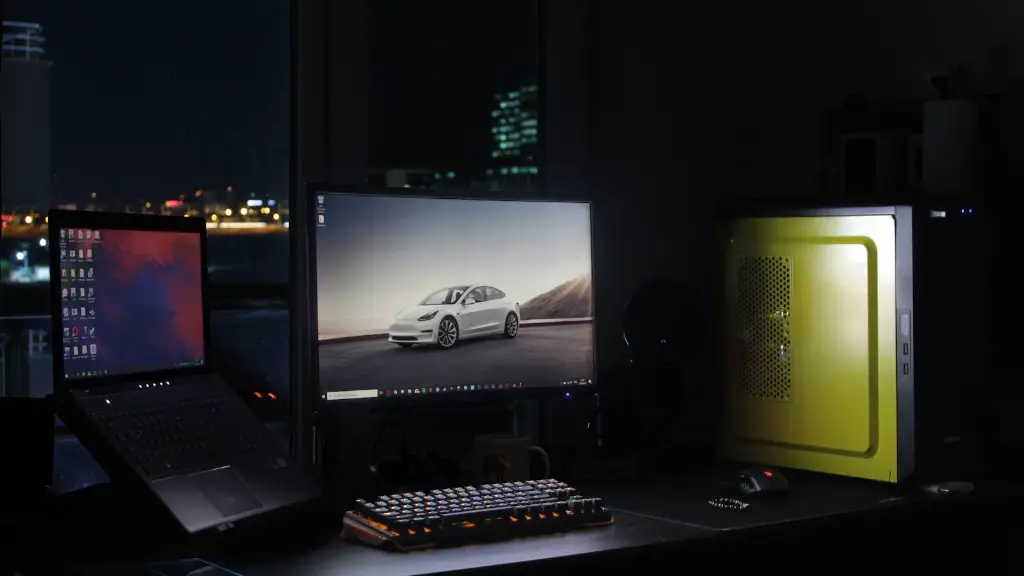
1) Choose a comfortable position: Before you even start to game on your big gaming monitor, it is important that you take the time to set up the monitor in a comfortable position. Make sure that the monitor angles are adjusted to meet your needs and that you’re far enough away from it so as to not be too close to the screen.
2) Avoid glare: Glare from bright lights or the sun can be a problem when it comes to big gaming monitors. To counteract this, it’s best to purchase screen protectors or find a well-lit spot out of direct sunlight.
3) Get a monitor stand: A monitor stand helps to support the weight of the monitor and keep your gaming space organized. Look for a strong and sturdy one that can meet the needs of your gaming space.
4) Keep your cords neat: To make sure your gaming space looks neat and organized, it’s best to manage your cords as best you can. An adhesive cable clip can help keep cords in check, without taking up too much space.
Considerations When Choosing a Big Gaming Monitor
When it comes to buying a big gaming monitor, there are a number of considerations you should take into account. You should assess the size of the monitor, depending on the space available in your gaming area. Not to mention, if you have multiple monitors in your setup, consider the overall size and shape. Additionally, can you afford to invest in a higher refresh rate or 4K resolution? Considering these elements in comparison to how much you’re willing to spend is important when picking a monitor.
Price
Price is an important factor when it comes to choosing a big gaming monitor. Heftier price tags often accompany high-end monitors, but it’s possible to get a decent one within your budget. It’s worth shopping around and comparing different brands and models to find the right monitor for your setup. However, be wary of the cheapest monitors, as you risk getting a low-quality one which won’t meet your needs.
Size
Size is also an important factor when it comes to buying a big gaming monitor. You have to make sure that the monitor is big enough to suit your needs, and at the same time, you have to find something that will fit in the space available in your gaming area. Depending on your preferences, the size of the monitor can vary from 21-inch to 40-inch.
Resolution
Opting for the right resolution is essential when it comes to buying a gaming monitor. Look for a monitor with the highest resolution you can afford. A higher resolution will enable you to experience more detailed visuals and sharper images. Common resolution options available in the market include Full HD (1920 x 1080), Quad HD (2560 x 1440) and 4K (3840 x 2160).
Screen Refresh Rate
A monitor’s refresh rate is an important factor to consider when buying a gaming monitor. It determines how quickly a image is displayed and refreshes on-screen. If you want to experience the best gaming performance, it’s best to opt for high refresh rates. For big gaming monitors, look for something that offers a minimum of 60Hz or 144Hz.
