How Many Hertz Is Good For A Gaming Monitor?
The answer to this question is not a simple one as it depends on a few factors. Generally, higher hertz mean better gaming performance. To explain how hertz relates to gaming, we need to go over a few basics.
Hertz (Hz) is used to measure the refresh rate of monitors; meaning the number times it can refresh the image in one second. Higher hertz equals a smooth and responsive gaming experience. A refresh rate of 60Hz means the screen refresh sixty times a second; giving a consistent picture quality and fast response to inputs.
The hertz offering of a monitor can range from 60Hz to 240Hz. Gaming on a 60Hz monitor is adequate, but moving up to a higher hertz offering can give gamers a real advantage. This can be especially evident in first person shooter games.
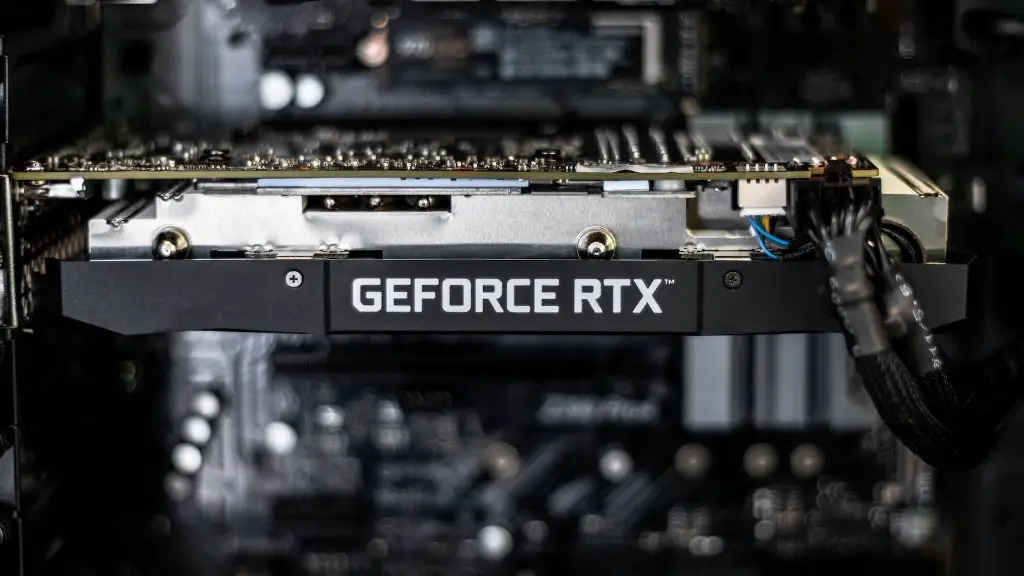
However, it is important to note that the graphics card also needs to be considered as it will be pushing the image in order to take advantage of the monitor’s hertz. Low specification graphics cards such as integrated cards will struggle to keep up with higher hertz screens.
In conclusion, the hertz of a gaming monitor is important when it comes to gaming performance. It is worth ensuring the graphics card has the capability to drive the appropriate hertz before buying an expensive monitor.
Factors That Determine The Desired Hertz
When determining the required hertz for gaming, there are several factors that come into play. Firstly, the level of detail in-game can have a big impact on the hertz needed. A monitor that offers a high hertz can be used to compensate for the level of detail, or vice versa.

Secondly, the type of game should be taken into consideration. Games with a lot of actions such as first person shooters need a higher hertz to accommodate the quick movements on-screen. Conversely, games with slower paced play will not require as a higher hertz.
Thirdly, the monitor size also affects the desired hertz. For larger monitors, the pixels will cover more area on the screen and hence a higher hertz are needed to provide an even refresh rate. Some gamers may find that a 75Hz monitor works well with a 24 inch screen. Likewise a 144Hz monitor can provide a great gaming experience on 27 inch screens.
Additionally, another factor to consider is the type of panel for the monitor. TN panel monitors often offer a high hertz with the trade-off of poorer viewing angles, whereas IPS panels tend to have superior viewing angles with lower hertz offerings.
Finally, gamers should also bear in mind that not all gaming monitor manufacturers will offer the same hertz as advertised. Variations can be seen in different monitors, and manufacturers can overestimate the hertz numbers. It is always recommended to check with reviews for more insight.
Get The Most Out of Your Gaming Monitor
Once you have got the right gaming monitor with the desired hertz, it is worth going through a few settings to make the most out of it. Firstly, check the input lag of the display, which is the amount of time it takes for the monitor to display the input from the game. This is especially important in fast-paced games.
Secondly, check the panel technology that the monitor is using and the refresh rate. Be sure to use the right anti-screen tearing technology for the monitor, such as Gsync for Nvidia or Free Sync for AMD.
Thirdly, use the appropriate cable that the monitor advertising; this will ensure the monitor is receiving the full potential from the graphics card. HDMI cables are often used for standard and gaming monitors although Display port is becoming increasingly common for gaming.
Also, make sure the monitor is tuned to the correct settings for the game. This includes gamma, contrast, saturation and any preset settings such as for movies, games etc. It might take a few changes through trial and error to find the right settings.
Lastly, use the frame rate limiter feature to ensure the graphics card is not sending more frames than the monitors refresh rate. This can prevent screen tearing and aid in a smooth gaming experience.
Choosing The Right Monitor For Gaming
When purchasing a gaming monitor, gamers need to weigh up what features to prioritize. Firstly, check the Hz offered by the monitor; this is crucial when it comes to a smooth gaming experience. Higher hertz such as 144Hz will provide a great refresh rate for gaming.
Secondly, check the panel type; look for either an in-plane switching (IPS) or twisted nematic (TN) panel. IPS panels provide superior image quality with better viewing angles, whereas TN panels offer faster response times with lower hertz offerings.
Thirdly, some gaming monitors also offer unique features such as Gsync or Free Sync, new backlight technologies and voice activated settings. It is important to research the individual monitors and judge whether these features are beneficial for you.
Fourthly, check the resolution offered by the monitor. Depending on whether you prefer FPS or graphical games, research the resolution requirements for newer games and choose a suitable resolution.
Lastly, do not forget to look at the design of the monitor. Manufacturers often offer different styles and feelings to the monitor. Be sure to check the ergonomics, adjustability and the ports offered in order to make a more informed decision.
Balance Your Desired Features Vs Your Budget
Whilst researching gaming monitors, gamers must balance their requirements with their budget. Not all gaming monitors will come in your desired range; however, this should not restrict gamers as there are suitable monitors in every budget.
For gamers on a lower budget, it is a good idea to prioritize features that offer the most value at a lower price. This could mean compromising on features like responsiveness, hertz and features such as Gsync or Freesync.
For gamers on a larger budget, it is better to focus on features such as a high hertz, size and Gsync or FreeSync. Monitors in this range will offer much more graphical performance and across a greater array of settings.
It is also worth considering the ports and connecters on the monitor. Different monitors offer different types of ports, such as HDMI and USB; this should be taken into account when assessing the monitor for gaming.
In conclusion, gamers need to decide on the most important features and balance these with their budget when buying a gaming monitor. Each feature offers an advantage, but research can be key to finding the right monitor for you.
