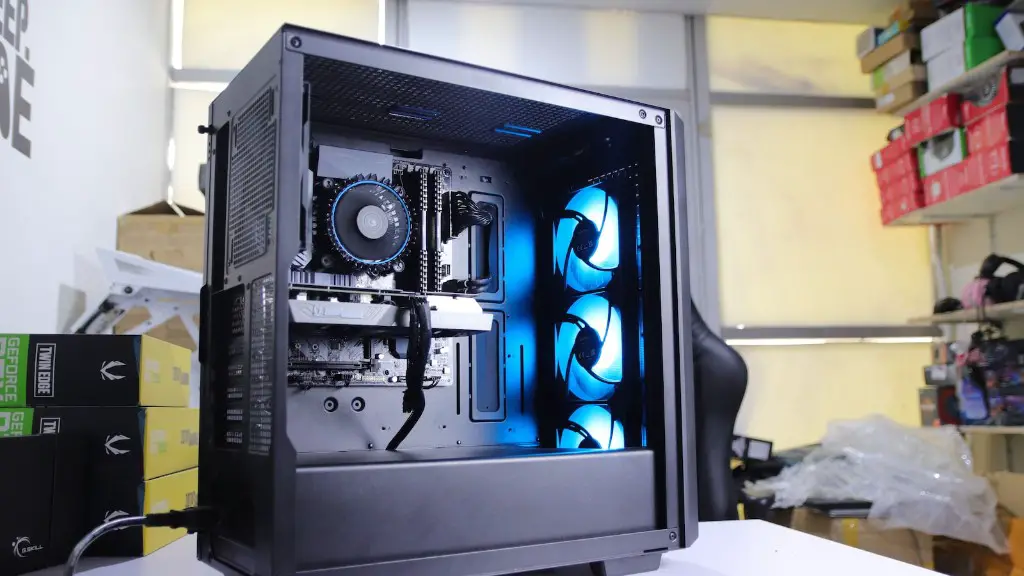
Building your own gaming PC is a great way to save money while getting a powerful machine. In this guide, we’ll show you how to build a cheap gaming PC that performs surprisingly well. There are a few key things to consider when selecting components for your PC. Here are the essential steps to building a gaming PC.
First, decide on a budget for your PC. This should be based on how much money you can comfortably spend. Keep in mind that the budget should include both your components and the costs of installation. Next, select a quality motherboard. A good motherboard will provide you with a reliable connection for your components as well as plenty of USB ports and other features.
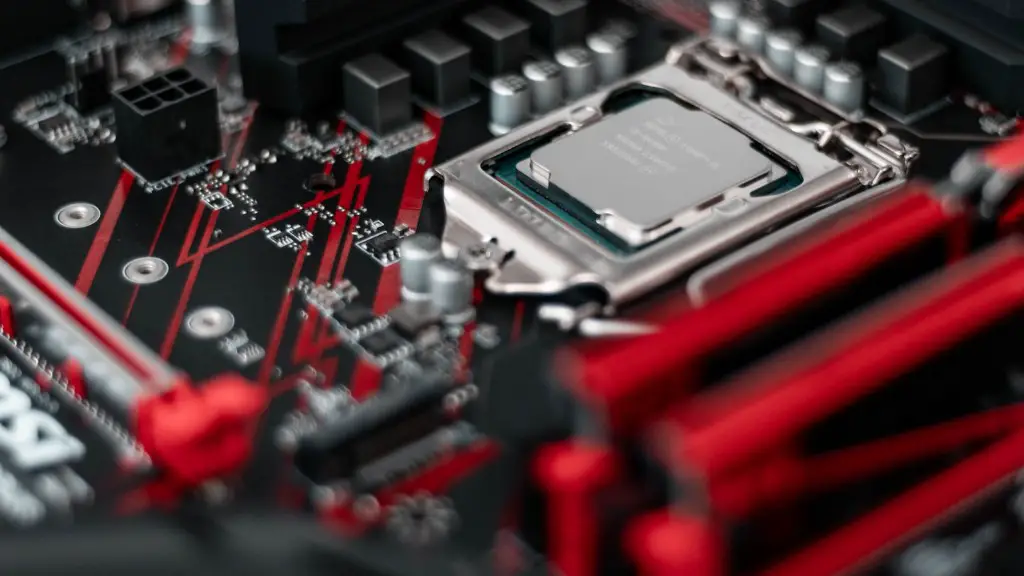
Third, choose an appropriate CPU for your budget. Intel’s Core i7 processors offer the best performance for gaming. However, if you’re on a tighter budget, you can opt for an AMD Ryzen CPU. Fourth, choose the right type of RAM. Opt for at least 8GB of high-speed DDR4 RAM and ensure that it is compatible with your motherboard.
Fifth, pick a good GPU. AMD’s Radeon RX 570 is a popular choice for budget gaming rigs and can deliver decent performance. NVIDIA’s GTX 1050 Ti is also a good choice. Sixth, select a good storage option. Solid State Drives (SSDs) are the best choice for gaming as they are fast and reliable. If you are on a tight budget, a good Hard Disk Drive (HDD) with a high RPM can also do the job.
Finally, you need to select a good case to house your components. You should select a case that has adequate airflow and plenty of room for upgrades in the future. With these components in hand, you can now begin the process of building your own gaming PC. You’ll need to assemble your components, connect all the cables, and install the necessary drivers and software.
GPU for Your Cheap Good Gaming PC
The graphics card or GPU is one of the most important components in a gaming PC. It is responsible for rendering complex game graphics at high resolutions, and so it should be able to handle any game you throw at it. When picking out a GPU for your budget gaming PC, you’ll want to opt for an AMD Radeon RX570 or an NVIDIA GTX 1050 Ti. Both of these cards offer decent performance and should be able to handle most games today.
However, if you’re planning on playing more demanding games like Overwatch or Fortnite, you may want to consider a higher-end card like the AMD Radeon RX 580 or the NVIDIA GTX 1060. These cards offer more performance and will give you an edge in the most popular games. Be sure to check the requirements of the games you plan to play and make sure you have the right card for the job.
On the other hand, if you don’t plan to play the latest and greatest games, but just want something for some casual gaming, then a lower-priced card may suffice. In this case, you can opt for an AMD Radeon RX 560 or an NVIDIA GTX 1050. Both cards offer great performance for the price. However, if you plan to play more demanding games, you should opt for a card with more grunt.
No matter which card you choose, make sure it has enough video memory (VRAM) to handle your game. We recommend at least 4GB of VRAM for most games. Also, make sure the card is compatible with your motherboard before you buy it. With the right GPU in hand, your gaming PC should be able to handle most games.
Choose Your Case for Your Cheap Good Gaming PC
Your PC’s case will determine the overall look and feel of your gaming rig. It should also provide your components with plenty of airflow and space for future upgrades. When choosing the right case, there are a few things to consider. First, decide on a size. Mid-tower cases are the most popular, as they provide ample space for components and typically have good airflow. However, if you’re looking for a more space-efficient case, you can opt for a smaller mini-tower case.
Second, make sure the case has enough PCle slots for your components. If you plan on utilizing multiple GPUs or storage devices, you’ll want to look for a case with plenty of slots. Third, check that the case is compatible with your motherboard and GPUs. The case should have enough room and the right mounting holes for your specific components.
Fourth, consider the cooling setup of the case. Make sure there is adequate airflow for your components and that the fans are quiet. Finally, consider the aesthetics. If you want your gaming PC to stand out, you should look for cases with RGB lighting or other flashy features. With the right case and cooling solution, your gaming PC will run smoothly and look great.
Power Supply for Your Cheap Good Gaming PC
The power supply is an essential component of any gaming PC. It supplies power to all the components in your PC, so you need to make sure that you get a good one. When selecting a power supply, there are several factors to consider. First, look for one with 80 Plus certification. This is a rating system that indicates that the power supply is efficient. Second, consider the wattage. Typical gaming PCs will require at least 500W of power, so make sure that the power supply you select can provide that.
Third, check the connectors. Your power supply should have enough connectors to support the components in your PC. Finally, make sure there is adequate cooling. Look for power supplies with multiple fans and efficient cooling solutions. With the right power supply, your gaming rig will stay cool and stable.
Installing and Configuring Your Cheap Good Gaming PC
Once you have all the components for your gaming PC, it’s time to assemble and configure it. Start by laying out all the components and the motherboard on a clean, flat surface. Then, install the CPU and attach the heatsink. Connect the RAM to the motherboard and the other components. You may need to refer to the manual for this step.
Next, install the GPU and its fans. Then, connect the storage drives to the motherboard. Finally, install the power supply and connect all the cables to their respective components. Lastly, make sure all the components are connected correctly and that the power supply is plugged in. To be sure, refer to the manufacturer’s guidelines.
Once everything is plugged in and connected, you’ll need to install the operating system. We recommend Windows 10, as it provides the best performance for gaming. Install the necessary drivers and software and you’ll be ready to start gaming. With these steps, you now have a working gaming PC.
Customize Your Cheap Good Gaming PC
Now that your gaming PC is up and running, it’s time to customize it to your liking. Start by installing some of your favorite games and programs. You can also customize the look of your PC by adding Wallpapers, changing the color scheme and changing the cursor. You can even install a custom UI for a different look and feel.
Next, you may want to overclock your components. This will give you a performance boost, but it is also risky. Make sure to research how to safely overclock your components before attempting it. You may also want to add more cooling fans or liquid cooling to your PC. This will ensure that your PC stays cool while you are gaming.
Finally, you can enhance your gaming experience with a gaming keyboard and mouse. Look for ones that have customizable lighting and macros to make your gaming more enjoyable. With the right peripherals, you’ll be ready to game like a pro. With these customizations, your gaming PC should be ready to take on any game.
Upgrading Your Cheap Good Gaming PC
As technology advances, your gaming PC may need a few upgrades. Fortunately, it’s easy to upgrade your gaming PC. If you find that a game is running sluggish, you may need to upgrade your GPU. Look for one that offers better performance and is compatible with your motherboard. Additionally, you may want to upgrade your RAM or storage drives for faster performance.
Another option is to upgrade your case. This will provide your components with better airflow and more room for future upgrades. You may also want to upgrade your power supply to a higher wattage one to support more components. With the right upgrades, your gaming PC will stay up to date and ready for the latest games.
It is also important to keep your PC clean and dust-free. Dust can collect on your components, reducing their performance and increasing the temperature. Make sure to frequently clean your PC with compressed air or a vacuum. This will help keep your components running smoothly and your PC running cool.
Finally, remember to check for driver updates. Install the latest drivers for your components to keep them performing optimally. With these simple steps, your gaming PC should stay in tip-top shape. With a bit of maintenance, your gaming PC will remain up to date and ready to game.
