Persuading your parents to agree to building you a gaming PC can be a difficult task, but if you use the right information and approach, it can be done. Here’s how to make your argument:
1.Explain to them how important gaming is to you. Explain why the quality of gaming experience and the impact it has on your motivation to stay active and engaged with the gaming community. Show your parents the positive side of gaming.
2.Let your parents know that you need a computer to play games in high quality. Explain how the graphics, speed, and additional benefits of a gaming PC are better than those of a standard computer. Also, tell your parents that upgrading an existing computer can be more costly than just making a new one.
3.Talk about the cost of a gaming PC. Explain that you can build one for cheaper than buying an entire package from a store. Show them the price of components, and tell them that you can buy them used for even less.
4.Explain to them the benefits of building your own gaming PC. Show them that you have done research and you understand the important parts of a good gaming PC. Demonstrate your knowledge, and how this could be a good experience for you.
5.Show them the variety of games available. Talk to your parents about the types of games available, show them the reviews and explain why you want to play them. Let them know that you can also code or do other activity on your PC.
6.Explain that gaming PCs can help with future opportunities. PCs are becoming more important for educational and career pursuits. Show them how a gaming PC can be used for such activities, and how it can help you in the long run.
7.Be persistent and respectful. Let your parents know how gaming would be beneficial to you and how it would help you reach your goals. Explain that you understand their concerns, but also be respectful and persistent in your request.
Benefits Of Building Your Own Gaming Pc
Building your own gaming PC has a lot of benefits. It’s cheaper than buying a pre-built gaming PC, and you can customize your gaming PC to your exact specifications. You can choose your own CPU, GPU, storage, RAM, and more.
One of the best things about building your own gaming PC is that you can save a lot of money. You won’t be paying for a pre-built PC which means you can save a lot of money. You can also upgrade your PC over time if you want, so you don’t have to buy a pre-built PC every few years.
You can also choose the exact parts you want for your gaming PC. You don’t have to buy parts that you don’t need or want. You can decide on the colors and the hardware you want, and you can get exactly what you want for your gaming PC.

You also get better performance when you build your own gaming PC. You can get the best performance possible by choosing the right parts. A pre-built gaming PC might not be able to give you the performance that you need, but a custom-built gaming PC can do it.
You can also customize your gaming PC with upgraded parts. This means that if you want to upgrade your gaming PC in the future, you can easily do so. You can add more RAM, a better GPU, or anything else you want for your gaming PC.
Finally, building your own gaming PC provides you with a much better gaming experience. It’s more immersive and you’ll be able to take advantage of the advanced graphics that modern games require.
Advantages Of Gaming Pc Over Console
Gaming PC’s have several advantages compared to console gaming. A gaming PC is usually cheaper than a console, and video games for PC often have better graphics than console games. Plus you don’t have to pay a subscription fee to get new games.
Also, gaming PCs are typically more powerful than console, so you can play more demanding games that might not be available on console. You also have a much larger selection of games available to you on PC. Some of the most popular games are available on both console and PC but there are a lot of games that are pc-only.
Another advantage of gaming PCs is that they are much more customizable than console. You can upgrade your gaming PC over time if you want to and you can also customize it with custom parts and cool mods. You can also get accessories for gaming PCs that won’t be available for console, such as controllers and headsets.
You can also connect your PC to a larger screen than what is available for most consoles. This allows for better immersion when playing games, as you can make the game larger and have more detailed visuals.
Finally, with a gaming PC you can do more than just play video games. You can edit photos and videos, create music, and do other activities that aren’t available on console.
What Should Be In A Good Gaming Pc
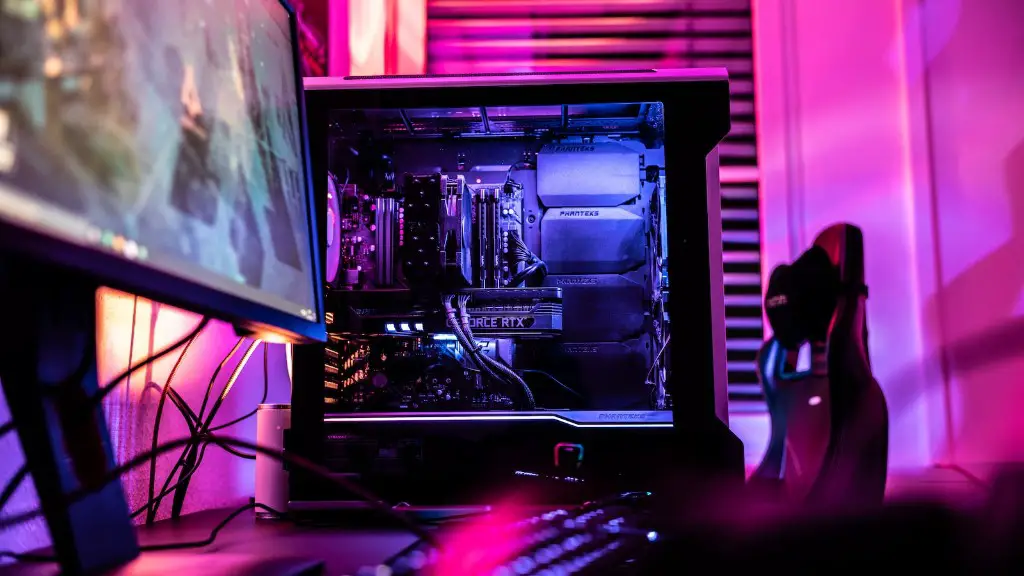
A good gaming PC should have a high-end GPU, a powerful processor, high-end RAM, and a lot of storage. You also need a quality power supply to make sure that everything runs smoothly and efficiently.
The GPU is the most important part of a gaming PC, as this is what decides how good the graphics will be. You should get a high-end GPU like a GeForce RTX 2080 Ti or an AMD Radeon VII. This will allow you to play all the latest games on the highest settings.
The processor should also be high-end. You should get an Intel i7 or an AMD Ryzen 7 for the best performance. This will allow you to multitask and run all your programs without any problems.
High-end RAM will also help you get the best performance out of your gaming PC. You should look for RAM with a speed of 3000MHz or higher, and with a capacity of at least 16GB.
Storage is also important in a gaming PC. A solid-state drive (SSD) is the best type of storage for gaming as it will give you quick loading times. You should get an SSD of at least 1TB for the best performance.
Finally, you should get a good power supply. You should get one that is rated at least 750W for the best performance. This will ensure that all the components in your gaming PC get enough power.
How To Build A Gaming Pc
Building a gaming PC is a great way to get the exact hardware you need for your gaming setup, and it also gives you a good learning experience. Here’s how to do it:
1.First, you will need to gather all the components that you need for your gaming PC. This includes the CPU, GPU, RAM, storage, and power supply. You should also get a motherboard, CPU cooler, and case to complete your build.
2.Once you have all the components, you will need to assemble the PC. This means connecting the components to the motherboard and assembling the case. If you are not sure how to do this, there are plenty of tutorial videos online that can help.
3.Once the gaming PC is assembled, you will need to install the operating system. This is usually Windows 10, though you can also install Linux. Installing an OS is fairly straightforward, and there are plenty of tutorial videos online about how to do this.
4.Finally, you will need to install all your drivers and update all the components. This ensures that your gaming PC will run as efficiently as possible. Again, there are plenty of tutorial videos online about how to do this.
Once you have done all this, you will have a fully functioning gaming PC that you have built yourself. It may take a while to do all this, but the knowledge and experience you gain from the process is well worth it.
Cost Of Building A Gaming Pc
The cost of building a gaming PC depends on the components you choose, but it can range from $500 to $3000. You can also buy pre-built gaming PCs if you don’t want to build your own. Pre-built PCs are usually more expensive than custom-built PCs.
For a budget gaming PC, you can usually get away with spending around $500. This will get you a decent CPU, GPU, some RAM and storage, and a power supply. This should be good enough for gaming at 1080p or 1440p.
If you want a gaming PC that can run games at 4K resolution, you will need to spend more. It could cost up to $3000 for a good 4K gaming PC. This will get you a high-end CPU, GPU, RAM, storage, and power supply.
If you are on a budget, you can also look at buying used parts. You can find used parts on sites like eBay or Craigslist, and they can be much cheaper than buying new parts. Just make sure you do your research before buying used parts.
Overall, the cost of building a gaming PC will depend on the components you choose, but it is generally cheaper than buying a pre-built gaming PC.
