
When picking the right memory for a gaming PC, it’s important to get the right type, speed and capacity of RAM that meets the requirements of the system and games. Firstly, you need to determine what type of RAM your system uses which is most likely as DDR4. Then, look for RAM speed which can range from as low as 2133MHz to as high as 4133MHz. Next, consider the amount of RAM you need ranging from 4GB to 64GB or more. Lastly, evaluate the stability and compatibility guarantee which is important as stability and compatibility of memory modules can affect performance.
Memory Type
When selecting RAM, the type of memory you need depends on your motherboard’s RAM slots and the type of RAM it supports. These days, DDR4 memory is the most common type used in gaming PCs as it offers better performance than its predecessor DDR3. Furthermore, many new systems support both DDR3 and DDR4, so what type of RAM you pick will depend on your motherboard and processor.
Memory Speed
Memory speed is an important factor when choosing RAM as it directly affects the performance of the PC as a whole. It’s measured in megahertz (MHz), and speeds range from as low as 2133MHz to as high as 4133MHz and even higher for specialized configurations. When determining the right speed, it’s important to consider the RAM and the CPU. Generally, the higher the RAM speed, the better the performance of the PC.
Memory Capacity
When selecting RAM capacity, the amount of RAM you need depends on your budget, the type of RAM, and the speed of the RAM. A good starting point is 8GB, but if budget allows, 16GB or 32GB is preferred. Nowadays, many gamers opt for 64GB or more due to the improved performance of the system compared to lower amounts. That said, it’s important to note that most games don’t even require more than 8GB of RAM.
Stability and Compatibility
The stability and compatibility of memory modules can affect performance, and it’s important to ensure that your RAM is compatible with your motherboard. To ensure compatibility, it’s important to check your motherboard’s manual for certified RAM recommendations. It’s also important to read customer reviews as this can give you insight into how well the RAM works with a particular system.
Different Types of Memory
There are other types of memory such as Low-Power Double Data Rate (LPDDR) and Graphics Double Data Rate (GDDR). LPDDR is a type of memory used in mobile devices like tablets, smartphones and laptops. It’s less expensive than DDR4 and has a lower latency, which makes it suitable for low-power applications. GDDR is used in graphics cards and has higher bandwidth than DDR4. It’s ideal for graphics-intensive tasks like gaming as it can provide up to 50% better performance compared to DDR4.
Choosing the Right Manufacturer
It’s important to consider the brand of memory you’re choosing as some brands may offer superior performance and better stability compared to others. Popular manufacturers include Corsair, G.Skill, Kingston, Patriot and Crucial. It’s important to read customer reviews and do research before making a purchase.
Compatibility Test
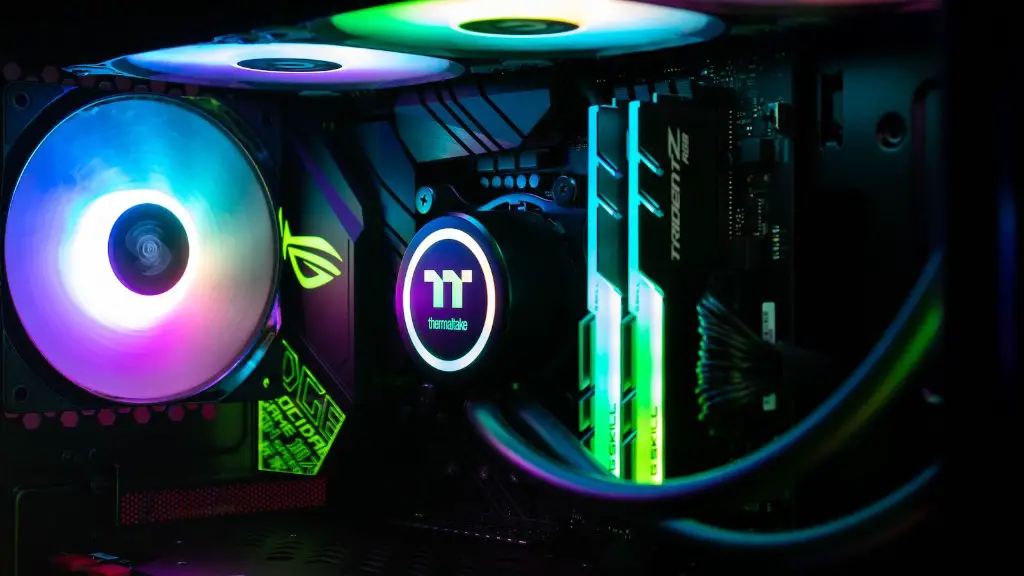
Before buying RAM, it’s important to do a compatibility test as not all memory modules are compatible with every motherboard. There are several tools available to do compatibility tests such as MemTest86 and Thaiphoon Burner. You can also check your motherboard’s manufacturer website for a list of compatible RAM.
