Gaming is a huge industry, and choosing the right monitor for gaming is an essential decision. Whether you’re a competitive esports player, a casual weekend warrior, or a video streamer, the monitor you choose can make or break your gaming experience. What are the best specs for a gaming monitor?
The most important factor when it comes to gaming monitors is achieving the best possible resolution. An ultra-high definition resolution, like 4K or 8K, gives you the clearest possible picture. For a competitive edge, a monitor with a refresh rate of 144Hz or higher is ideal, as this allows for smooth and accurate movements in gaming.
It’s also important to look for features that allow for easy viewing angles and color accuracy. Monitor curvature, adjustable stands, and IPS panels are all great features that enhance viewing angles and provide more vivid colors. Furthermore, a larger monitor size provides the best immersive gaming experience.

Finally, latency and response time is another factor to consider. Low latency and response time can result in immersive gaming experiences and faster reflexes, making split-second decisions in-game easier.
High Resolution
Assuming the budget allows, a gaming monitor with an ultra-high definition resolution such as 4K or 8K delivers sharper visuals, providing the clearest possible picture. A higher resolution monitor also allows better visuals even on a large screen, as there will be more pixels per inch (PPI). A 4K resolution monitor has four times the pixels than a 1080p Full HD monitor, while an 8K monitor ups the ante to 16 times the pixels.
Not all games and hardware can push 4K resolution, so a good compromise might be a 1440p quad HD resolution (2560 x 1440). This still offers a great viewing experience, albeit slightly less sharp than 4K. Furthermore, there are more options available in the 1440p range, compared to the more expensive 4K and 8K monitors.
Though resolution is an important factor to consider, it is also important to keep in mind that there are other specs to look out for too. A competitive edge isn’t just about resolution. Hitting high refresh rates and low latency, for example, can make the difference between winning and losing a match.
Refresh Rates
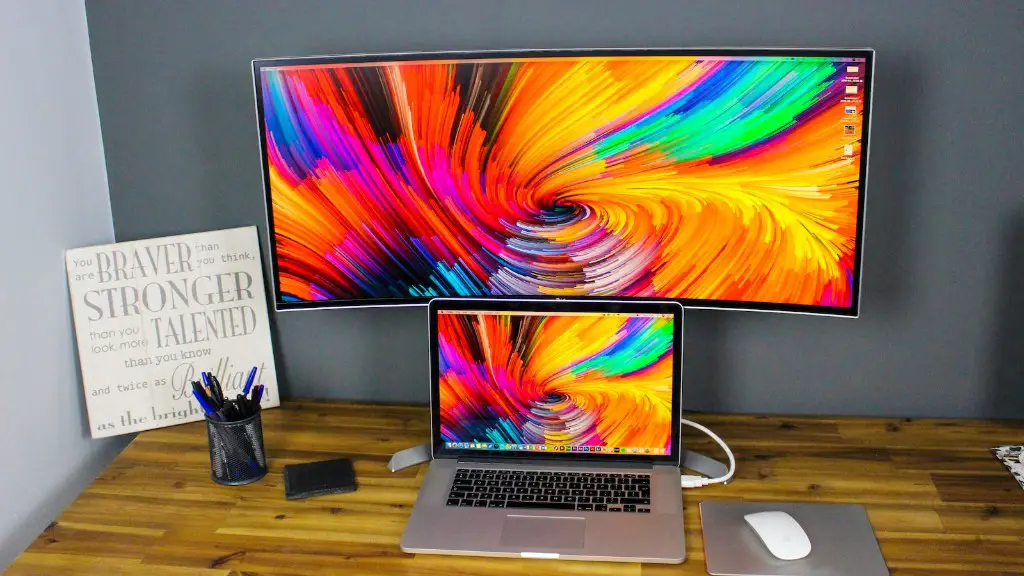
Refresh rate measures how often the monitor can update the picture in one second. It is measured in Hertz (Hz). As most monitor refresh rates are measured in Megahertz (MHz), 1 MHz is equal to 1,000 Hz. Most gaming monitors have a refresh rate of 60 Hz, which is the minimum requirement for a good gaming experience.
For a more competitive edge, a higher refresh rate is preferable. A 144 Hz monitor is ideal, as this provides smooth and more accurate movements. More and more gamers are opting for higher refresh rates, such as 240 Hz or even 360 Hz monitors. These monitors provide a huge advantage over the competition.
However, it’s important to keep in mind that not all hardware supports or can take advantage of higher refresh rates. You might also need to invest in capable graphics cards too. Many graphics cards can’t hit the higher refresh rates, and you might need to pair them with a FreeSync or G-Sync compatible graphics card to get the most out of the monitor.
Viewing Angles and Color Accuracy
A gaming monitor should allow for multiple viewing angles, as well as accurate color reproduction. Monitor curvature, adjustable stands, and IPS panels are a few features to look out for. A monitor curvature provides a more immersive gaming experience, while IPS panels allow for wider viewing angles, resulting in more consistent colors in all parts of the screen.
When it comes to color accuracy, many gaming monitors come with pre-calibrated settings to ensure accurate colors in your games. Check for monitors that come with support for HDR (High Dynamic Range), as this promises to enhance color accuracy further. In addition to that, ensure that there is at least a 4:2:2 chroma support.
Size Matters
Another aspect to consider is the size of the monitor. Monitors that are too small won’t be able to take advantage of higher resolutions. A larger monitor size allows for a better view of your game, providing an immersive gaming experience. A 24-inch monitor is the sweet spot, although sizes vary depending on your personal preference or budget.
This factor also depends on how far you’ll be sitting from the monitor. You will want to look for one that’s the right size for your viewing distance, as the ideal size is the one that fills your field of vision without having to strain your eyes.
Latency and Response Time
Latency and response time is another key factor in gaming. Low latency helps to reduce any delays between pressing buttons and actions being displayed on screen. The lower the latency and response time, the more immersive the gaming experience is. Look for a monitor with at least 4 ms of latency and response time, as this should provide enough fluidity in gaming.
Gamers may also want to look for monitors with variable refresh rates, such as AMD’s FreeSync and Nvidia’s G-Sync. This helps to reduce stuttering and image tearing, which can be disruptive during gaming sessions. Both FreeSync and G-Sync are supported on many newer gaming monitors.
Connectivity & Additional Features
Finally, check for gaming monitors with the connectivity options you need, such as HDMI, DisplayPort, USB-C, and USB slots. This will ensure that you can connect the monitor to other compatible devices you might have. Some gaming monitors come with built-in speakers too, which can be a great bonus.
A few more features to consider include Picture-in-Picture (PIP) mode, which allows to watch two video sources at once. There are also features such as flicker-free display, low-blue-light filter, and motion blur reduction, all of which help to reduce gaming fatigue.
Conclusion
When choosing a gaming monitor, resolution, refresh rate, viewing angles and color accuracy, size, latency, and response time are all important factors to consider. A 4K or 8K resolution monitor is ideal for a sharp and vivid playing experience, although 1440p might be more suitable for slightly less demanding games. Look out for higher refresh rates, such as 144 Hz or more, as this helps to improve immersion and accuracy. Furthermore, look for connectivity options and built-in features that enhance the gaming experience.
